Have you ever wondered if someone’s checking your location on your iPhone? You’re not alone. Many iPhone users are concerned about their privacy and want to know who might be tracking their whereabouts.
Did you know that over 80% of iPhone users have Location Services turned on? While this feature can be helpful for many apps, it also means your location data is potentially accessible to others. This becomes a problem when you’re not sure who’s viewing your location or when.
Your iPhone has built-in tools to help you figure out if someone’s checking your location. These features aren’t always obvious, but they’re there to help you take control of your privacy.
In this article, you’ll learn how to use these tools and understand who might be seeing your location data.
We’ll walk you through some simple steps to check who has access to your location, how to spot when your location is being used, and what you can do about it.
How to check your location history on your iPhone
Your iPhone keeps track of where you’ve been, and you can easily check this information.
Let’s walk through the steps to view your location history:
1. Turn on Location Services
First, make sure Location Services is on:
- Open your Settings app.
- Tap “Privacy & Security“

- Tap “Location Services“.
- Make sure the switch is on (it’ll be green).

2. View your location history
Now, let’s look at where you’ve been:
- Go back to Settings.
- Tap “Privacy & Security” again.
- Tap “Location Services“.
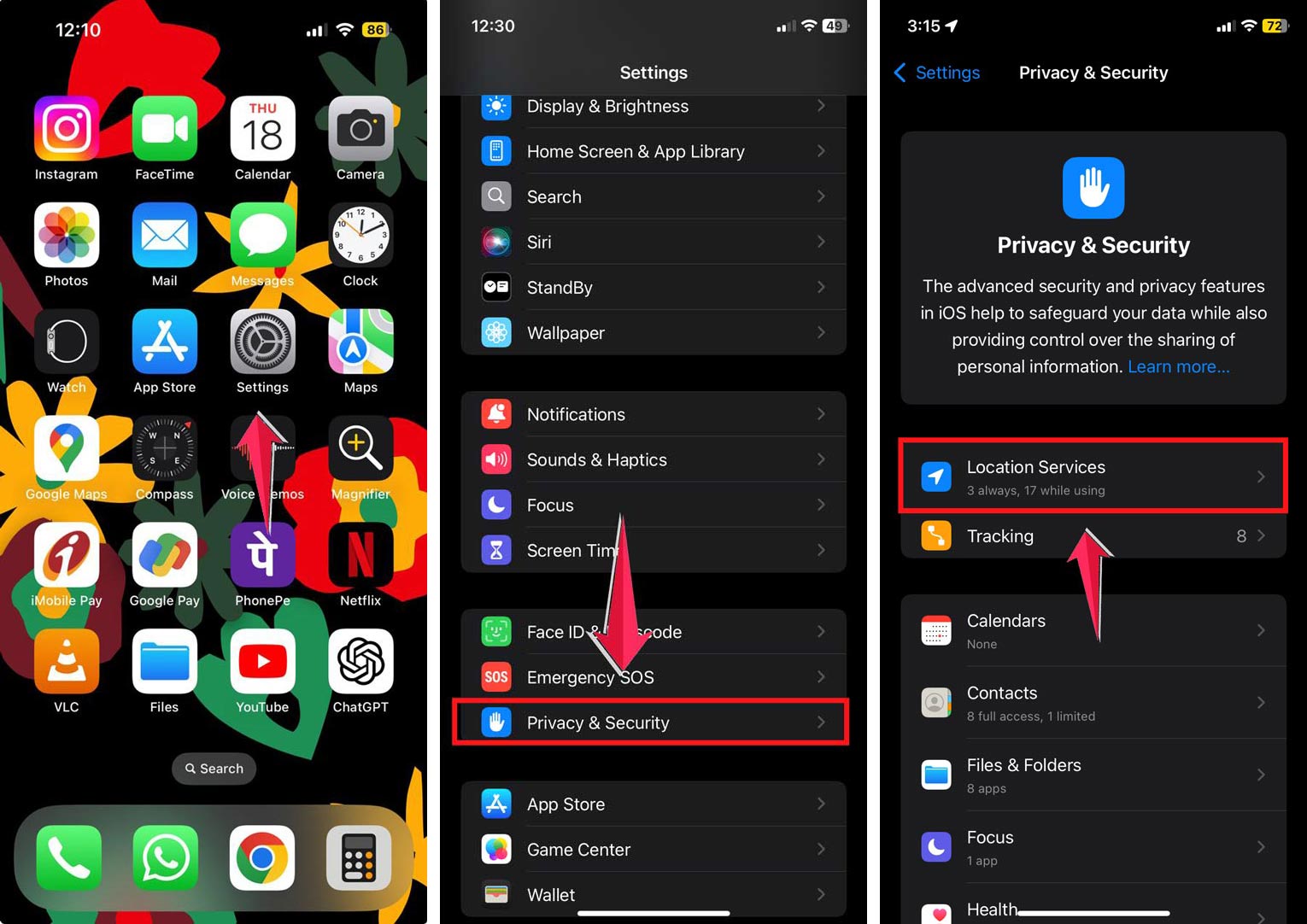
- Scroll down and tap “System Services“.
- Tap “Significant Locations“.
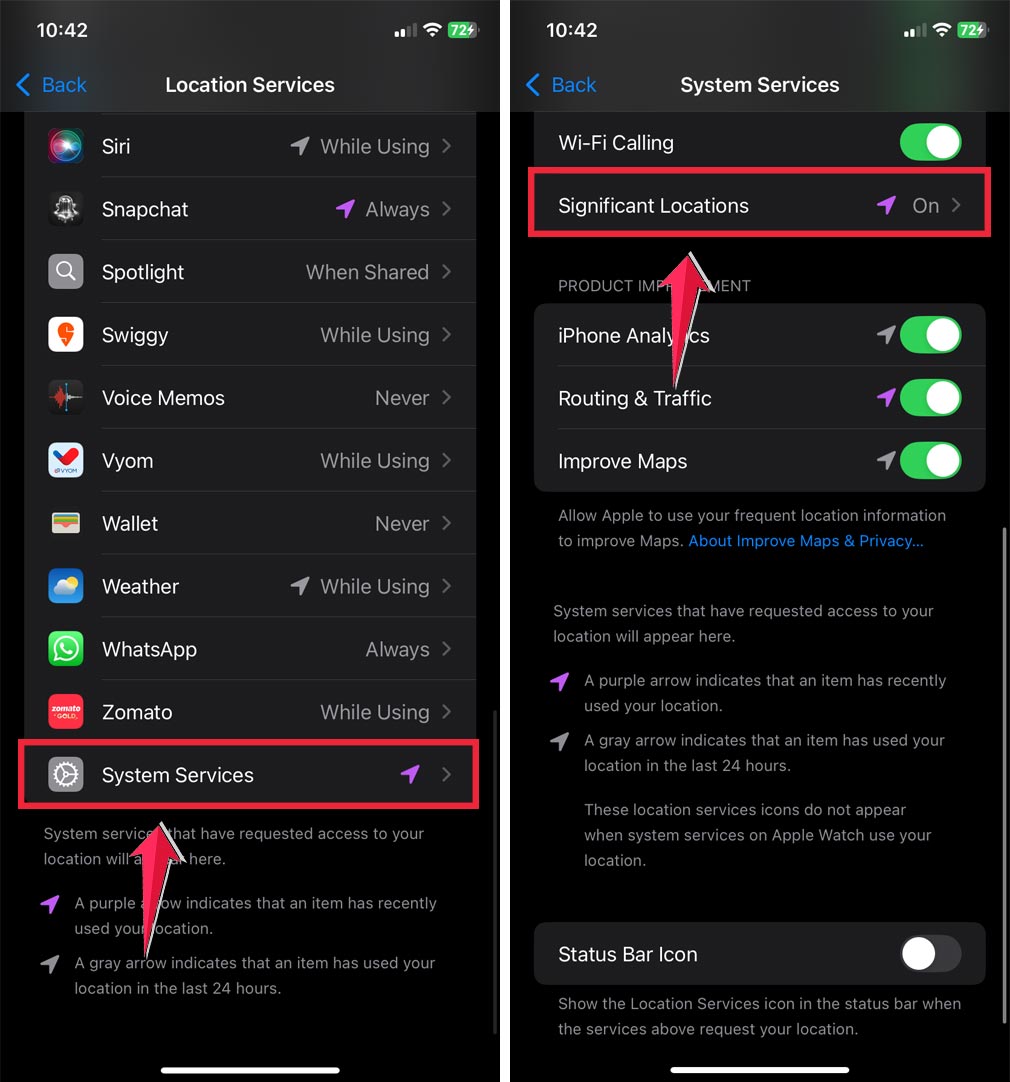
- Enter your passcode or use Face ID.

You’ll now see a list of places you’ve visited often. Your iPhone calls these “significant locations.” Tap on any location to see more details, including a map of your visits.
You can also name your locations in Find My to keep things organized.
Remember, your iPhone only shows places you’ve been to multiple times. It’s not a complete record of everywhere you’ve ever been.
If you want to see all your locations, you might need to download a special app from the App Store. These apps can give you a more detailed history of your movements.
By following these steps, you can easily check where your iPhone thinks you’ve been. It’s a great way to keep track of your travels or just to see what your iPhone knows about your daily routine.
How to see if someone checked your location on your iPhone
Ever wondered if someone’s keeping an eye on your location using your iPhone? Don’t worry, your device has some handy features to help you figure this out. Let’s walk through two simple ways to check:
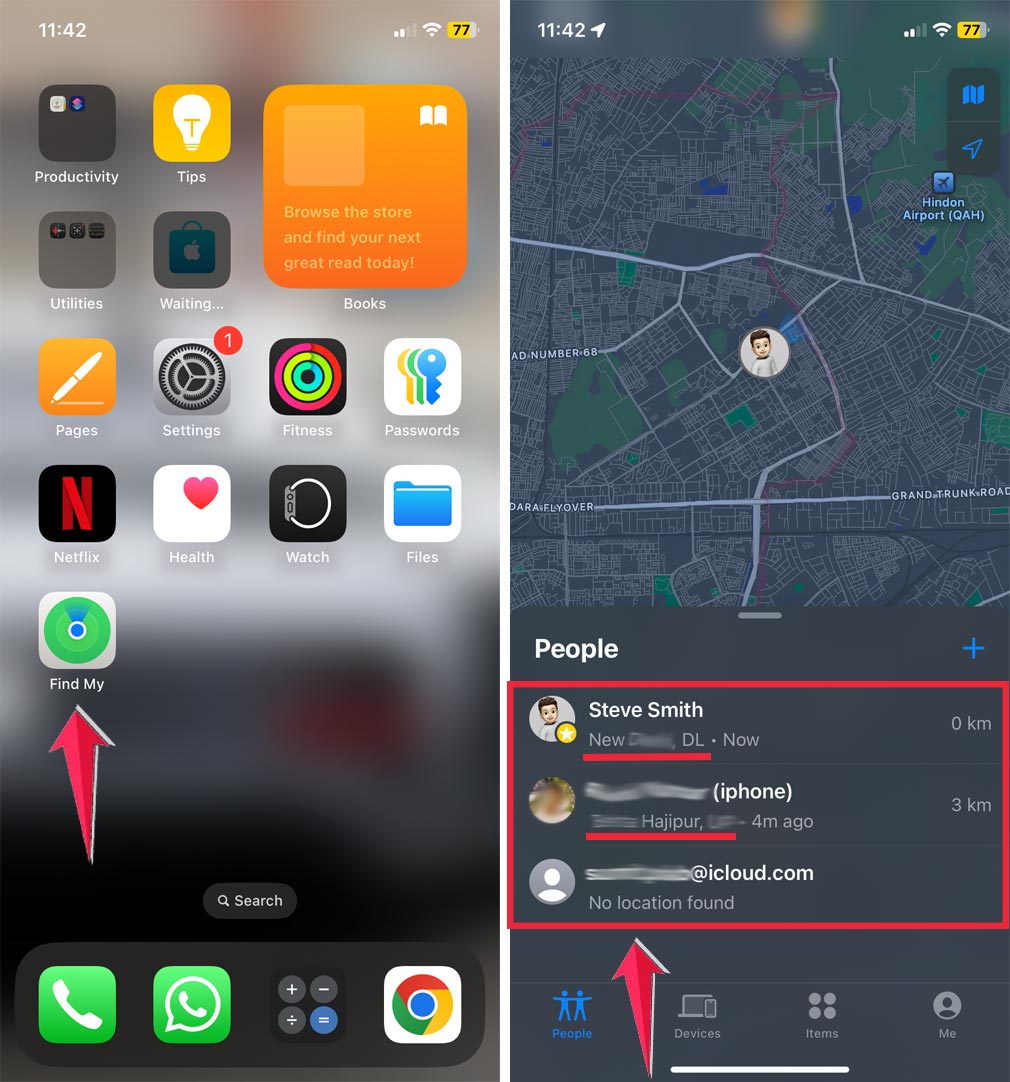
1. Using Find My Friends
Find My Friends isn’t just for locating others; it can also tell you who might be checking your location. Here’s how to use it:
- Open the Find My Friends app on your iPhone.
- Look for the person you’re curious about in the list.
- If you see their location on the map, they’re sharing their location with you.
- If you can’t see their location, they might have turned off location sharing, or their phone is off.
2. Using the Find My app
The Find My app is another great tool for checking who can see your location:
- Open the Find My app on your iPhone.
- Tap the “People” tab at the bottom.
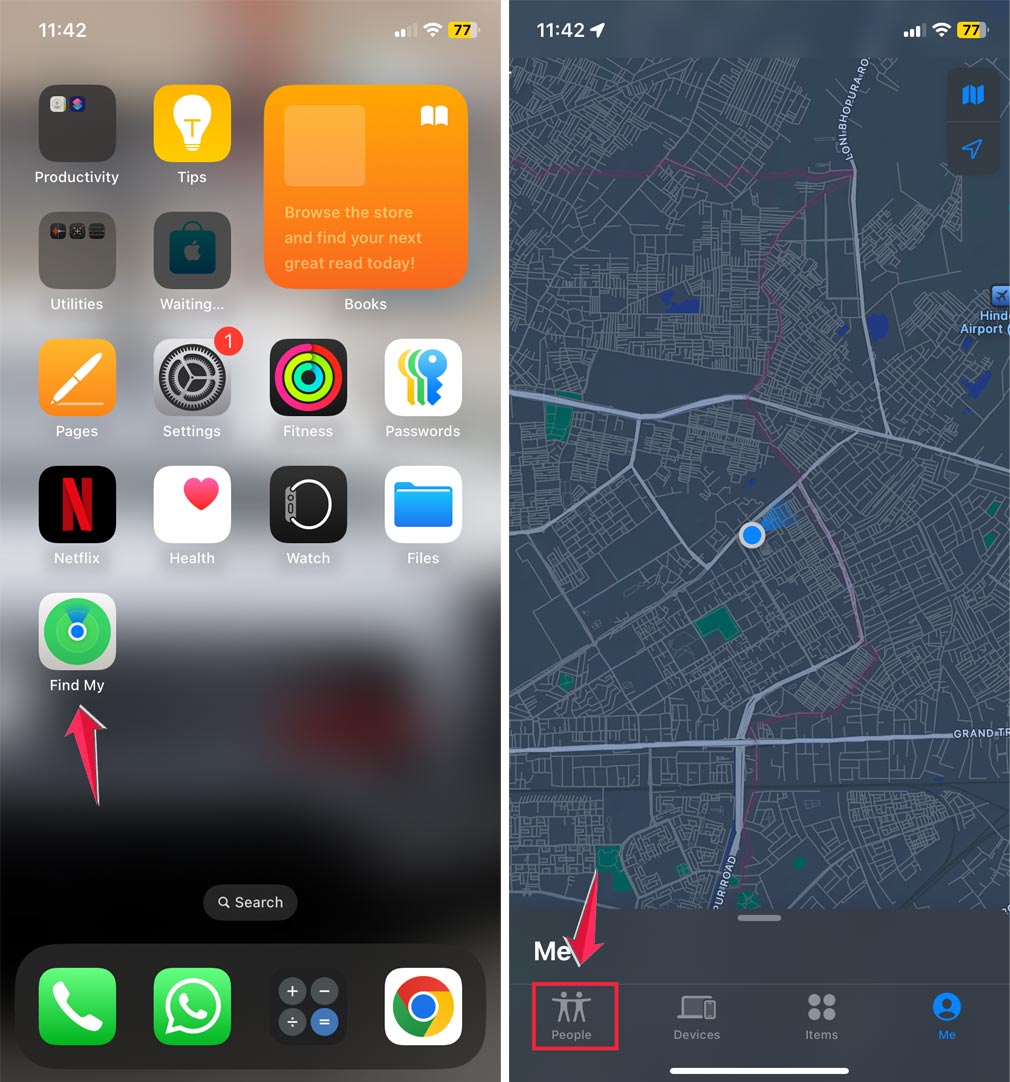
- Look at the list of names under this tab.
- These are the people who can see your location.
- Tap on a name to see their location on a map.

If you can’t see someone’s location in either app, it could mean they’ve turned off location sharing or their phone is off.
Remember, these tools are designed to give you control over your privacy. Use them wisely and always respect others’ privacy, too.
If you’re ever uncomfortable with someone having access to your location, you can always turn off location sharing in your iPhone’s settings.
By using these features, you can easily keep track of who might be checking your location. It’s all about staying informed and in control of your privacy.
The takeaway
Worried about someone checking your location on your iPhone? Let’s recap what you’ve learned.
Your iPhone has built-in tools to help you manage who can see your location. The Find My Friends and Find My apps are your go-to features for this.
They show you who’s sharing their location with you and who you’re sharing with.
Remember, if you can’t see someone’s location, it doesn’t always mean they’re hiding. Their phone might be off, or they might have turned off location sharing.
The key is to use these tools regularly to stay on top of your privacy.
Don’t forget that you’re in control. If you ever feel uncomfortable about someone having access to your location, you can always turn off location sharing in your settings. Your privacy matters, and your iPhone gives you the power to protect it.
What do you think about these location-sharing features on iPhones? Share your thoughts in a comment below.