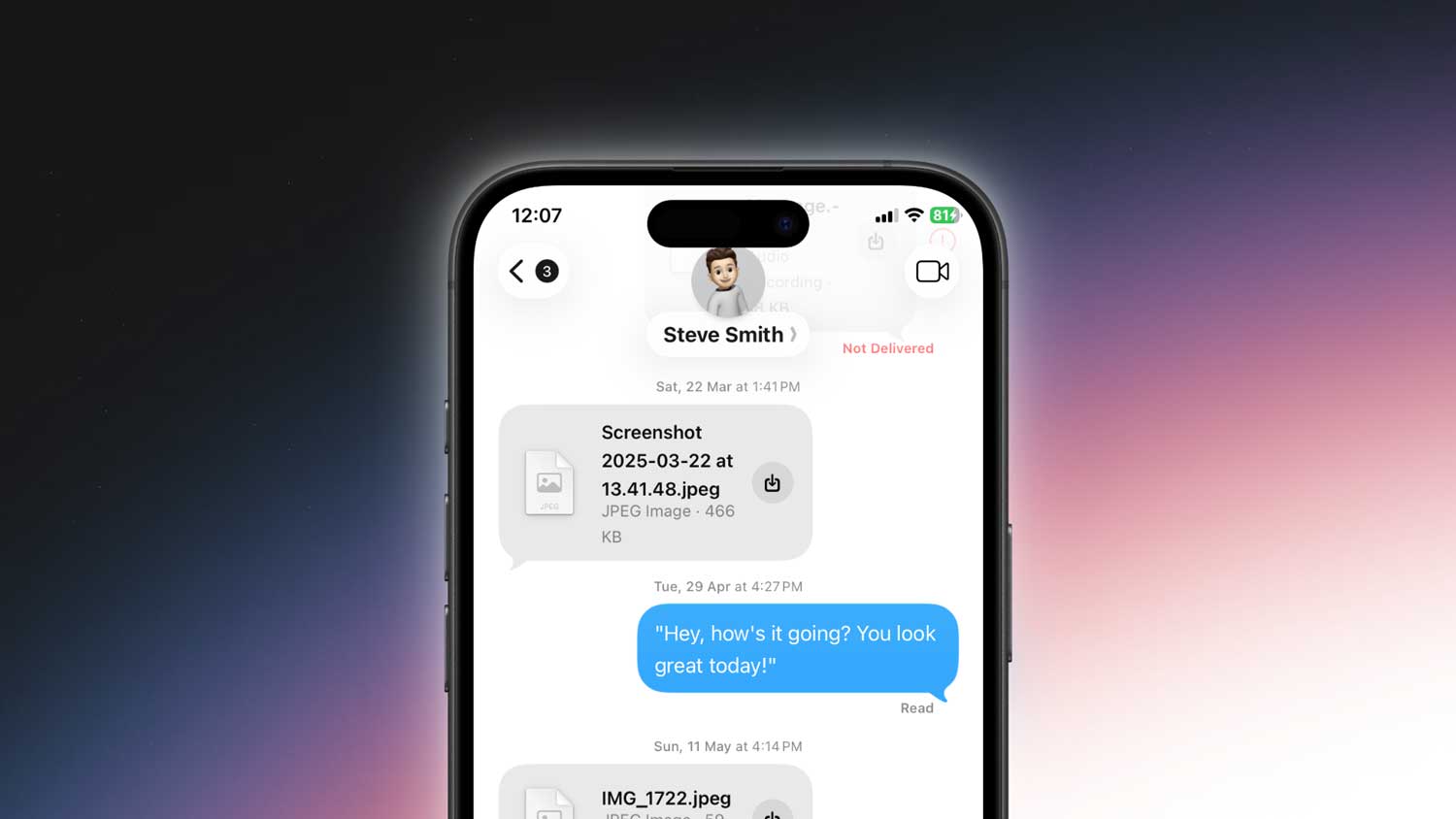
You opened iMessage. Everything looked normal. But suddenly, your name turned blue in a message.
And now you’re stuck thinking. Did something change? Is this a new update? Did someone tag me?
Don’t worry. You didn’t break anything. And no, your iPhone isn’t glitching.
This blue name thing is actually a feature. It’s not random. In fact, once you know how it works, you’ll probably like it. It’s all about mentions.
Let me explain what’s really going on.
It means someone mentioned you in the chat.
When your name shows up in blue inside an iMessage conversation, it means you were directly mentioned by someone.
This usually happens in group chats.
So if your friend types your name and selects it from the suggestions, that becomes a “mention“.
Apple highlights your name in blue so you know the message was meant specifically for you.
It’s just iMessage’s way of tapping you on the shoulder and saying. Hey, this one’s for you.
Only you can see it in blue
Here’s something important.
Only you will see your name in blue. Everyone else in the chat will just see it in bold.
So no, it’s not a group-wide change. It’s just a way for your phone to show that you were tagged.
If someone else gets mentioned, you won’t see their name in blue. just bold. That way, the highlight stays personal.
This is different from blue chat bubbles
Now don’t mix this up with the blue chat bubbles in iMessage. That’s a whole different thing.
Blue bubbles simply mean you’re chatting with someone over iMessage (Apple’s internet-based messaging). Green bubbles are SMS (traditional texting).
But the blue name inside a message? That’s about mentions. not the type of message.
How to mention someone in iMessage
You can try it yourself.
If you’re in a group chat and want to mention someone, here’s what to do:
- Type the @ symbol, then start typing their name.
- You’ll see their contact show up in the suggestion bar.
- Tap on it. That’s it.

After sending the message, their name will appear bold to others. But for the person you mentioned, it’ll show in blue. That’s how they’ll know they’ve been called out.
You don’t need to use the @ every time. Just typing their name directly can trigger a mention too, as long as it matches a contact in your phone.
Why this is actually useful
Group chats can get noisy.
People send memes, random updates, or inside jokes. And in the middle of all that, someone tries to tell you something important. But you miss it.
That’s where mentions come in.
They help your message stand out. And when someone mentions you, the blue highlight grabs your attention. Even if you’ve muted the conversation.
Yeah, that’s right. If you’re muted, a mention can still send you a notification. It’s like a little exception built into the system.
So if someone really needs to reach you, they can. Without blowing up your phone every few minutes.
Can you turn off the mention notifications?
Yes, you can. If you don’t want iMessage to buzz you every time someone tags you in a group chat, you can turn it off.
Here’s how:
- Go to Settings on your iPhone.
- Scroll down and tap on Apps.
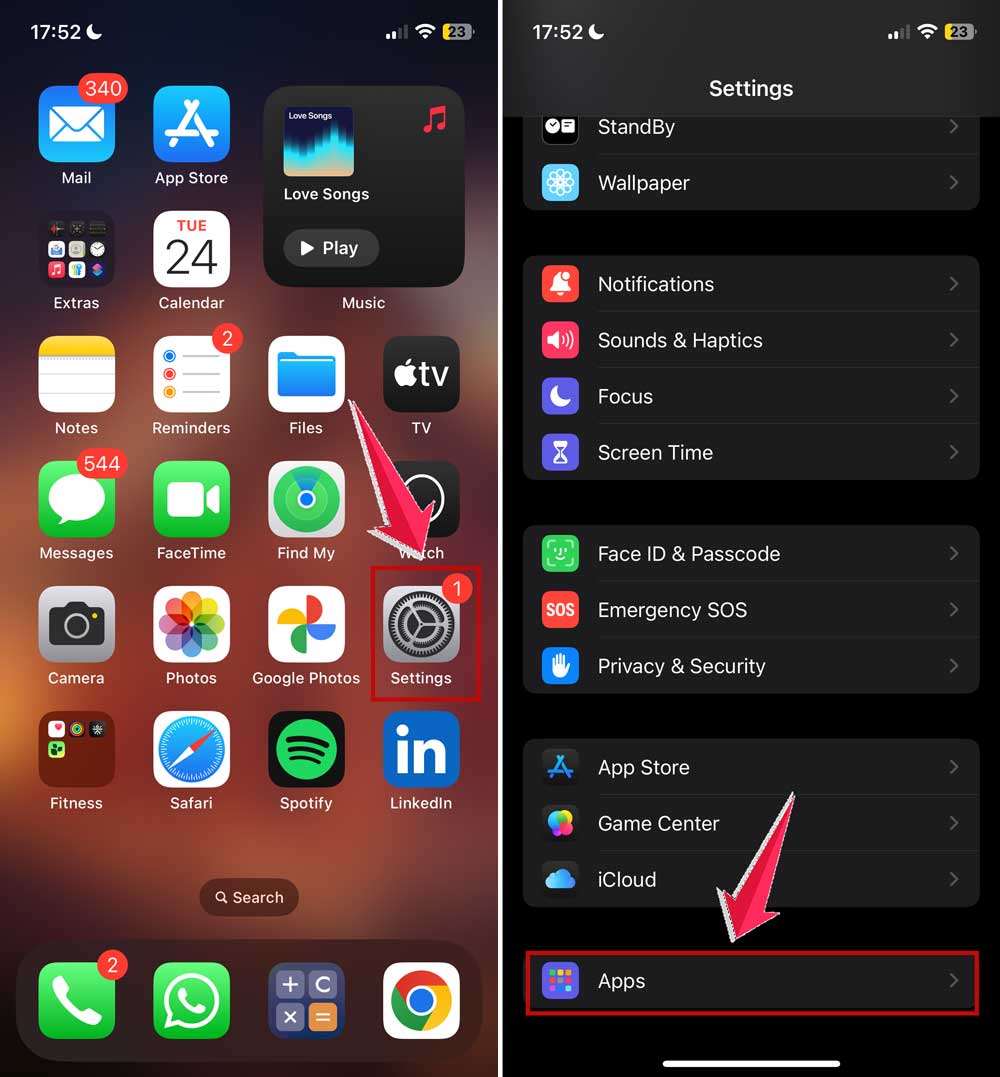
- Then tap on Messages.
- Find the section that says Mentions.
- Turn off Notify Me.
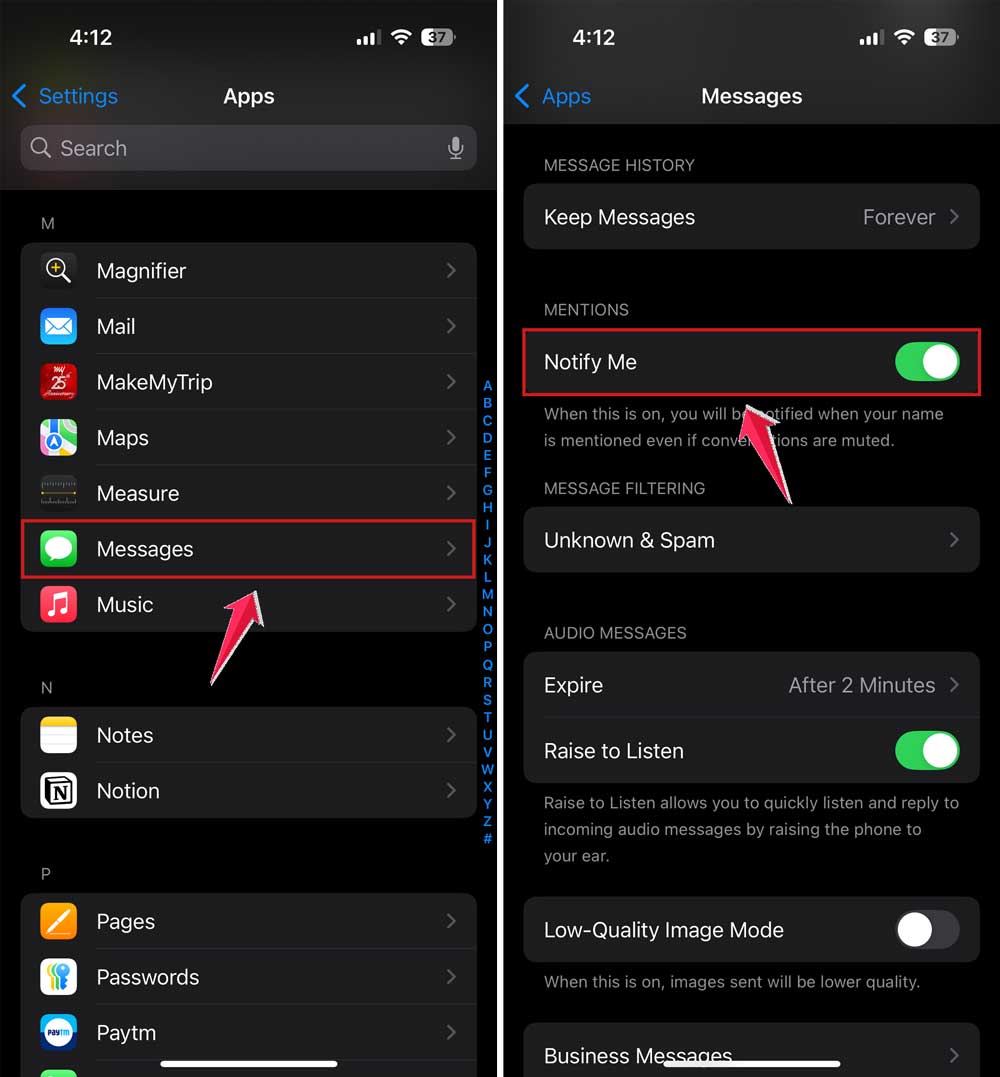
Now, you won’t get special notifications for mentions in muted chats. It’s back to full peace and quiet.
Does the blue name mean you’re blocked or unblocked?
Nope. This has nothing to do with blocking.
If you see your name in blue, it’s not because someone unblocked you. And if you don’t see blue, it’s not because they blocked you.
It’s just a visual feature tied to mentions. Simple as that.
So don’t worry or overthink it. It’s not personal. It’s just iMessage doing its thing.
Can you remove the blue highlight?
You can’t remove the blue once you’ve been mentioned. It’s not a setting you can turn off.
But don’t worry. Only you see the blue.
Others in the chat will see your name in bold, not in color. So it’s not drawing unnecessary attention.
Also, the blue doesn’t last forever. After some time, or after more messages come in, it just fades into regular text like everything else.
Are blue names linked to iMessage contacts?
Not really.
Yes, iMessage uses blue to show chats between Apple devices. And yes, when you first start a chat, blue contact names or numbers mean that person uses iMessage.
But the blue name inside a chat, the one we’re talking about here, is tied to mentions. not the messaging platform.
So don’t confuse a blue name with a blue bubble or blue contact. They’re related to different things.
Want to test it?
Try this.
Open any group chat with two or more people.
Start typing a message. In the middle of the sentence, type @ followed by someone’s name.
Tap the suggestion when it pops up.
Send the message.
Now ask that person. “Hey, did your name turn blue?”
They’ll probably say yes. And now you’ve confirmed how mentions work.
It’s simple. But once you know it, it makes chatting way easier.
The takeaway
When you see your name in blue in iMessage, it just means you were mentioned in a message. That’s it.
It’s not a bug. It’s not a hack. And it’s definitely not anything bad.
It’s just iMessage trying to help you stay on top of your group chats. You get noticed. You don’t miss important messages. And everything stays organized.
Only you can see your name in blue. Others won’t.
And if you don’t want those alerts, you can easily turn off mention notifications in settings.
So next time someone says, “Why is your name blue?”. You’ll know the answer.
You’ve got this.