Ever felt the need for a little quiet time from someone in your contacts? You’re not alone!
Here’s the good news: With a few taps, you can silence notifications for some contacts on your iPhone. They won’t ever know.
Use the Do Not Disturb feature. It gives you peace and quiet. You can still get other important messages and notifications.
Ready to find out how? Let’s dive in!
Can You Put One Person on DND?
Yes, you can put one person on DND!
If a noisy group chat or a contact who messages too much is getting on your nerves, here are some ways to find your peace:
- Focus Modes: This lets you decide who and what can reach you. Want to silence a bunch of apps or contacts? Setting up a Focus mode is the way to go.
- Block the Number: If there’s someone you need to stop hearing from forever, blocking their number is the answer.
- Mute Notifications: Sometimes, you need a short break from someone’s notifications. You can mute them!
Ready to enjoy some quiet? Follow the simple steps below to learn how to mute a contact on your iPhone.
How to Silence a Contact on iPhone
Want to enjoy some quiet time without blocking someone completely?
Here’s how you can silence a contact on your iPhone:
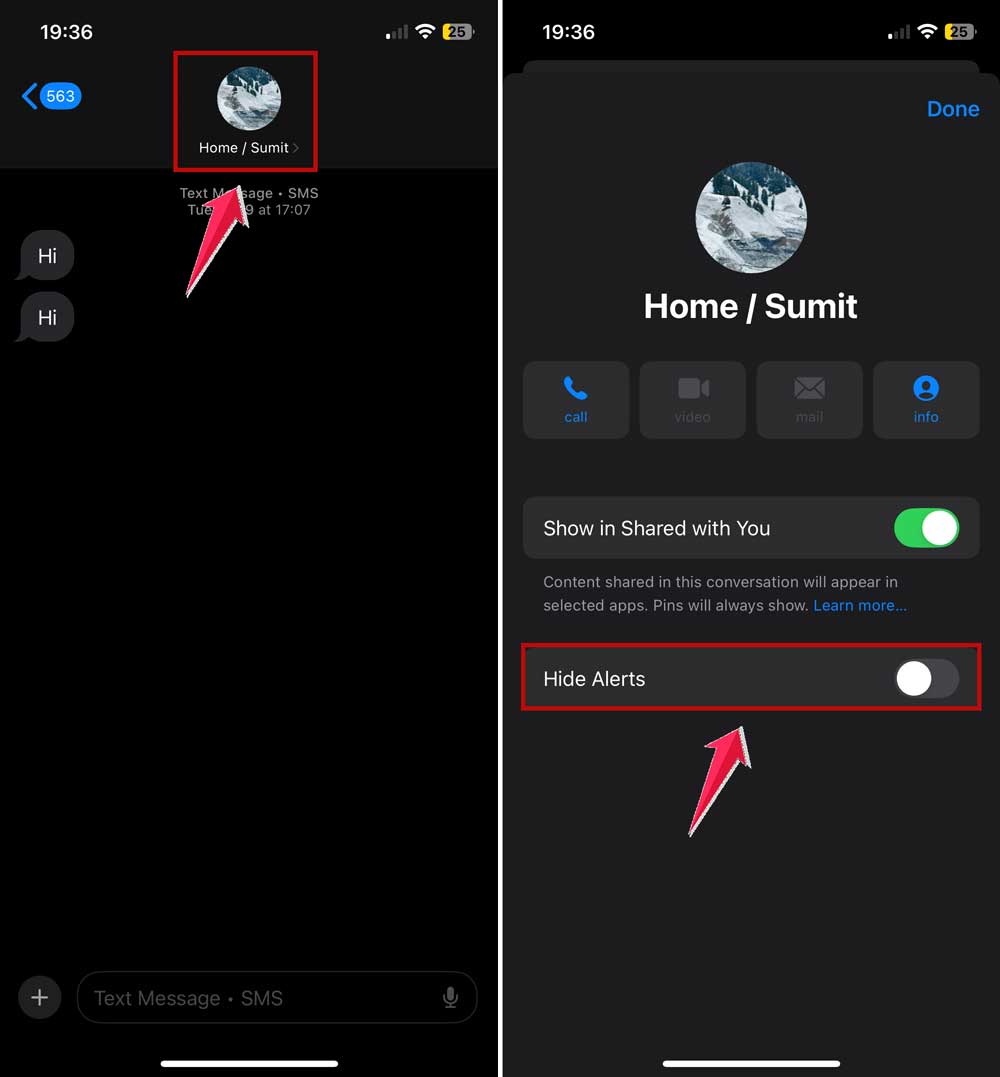
- Open the Messages app. Find and tap on the conversation you want to mute.
- Tap the contact’s name. Look at the top of the conversation to find this.
- Toggle on ‘Hide Alerts’. This will stop notifications from popping up.
- Tap ‘Done’. You’re all set!
Now, you’ll notice a little alarm bell with a slash through it next to the thread in your Messages.
This means you won’t get notifications from this contact. Until you, they turn off ‘Do Not Disturb‘ for them.
How to Mute/Unmute a Contact on iPhone
If you want to control when you hear from someone or when you don’t, muting or unmuting can be an excellent choice to go with.
Here’s the easiest way to mute and unmute a specific message thread on your iPhone:
- Swipe Left on the Conversation: Find the chat in your Messages app.
- Tap the Purple Alarm Bell Icon: This lets you toggle alerts on or off.
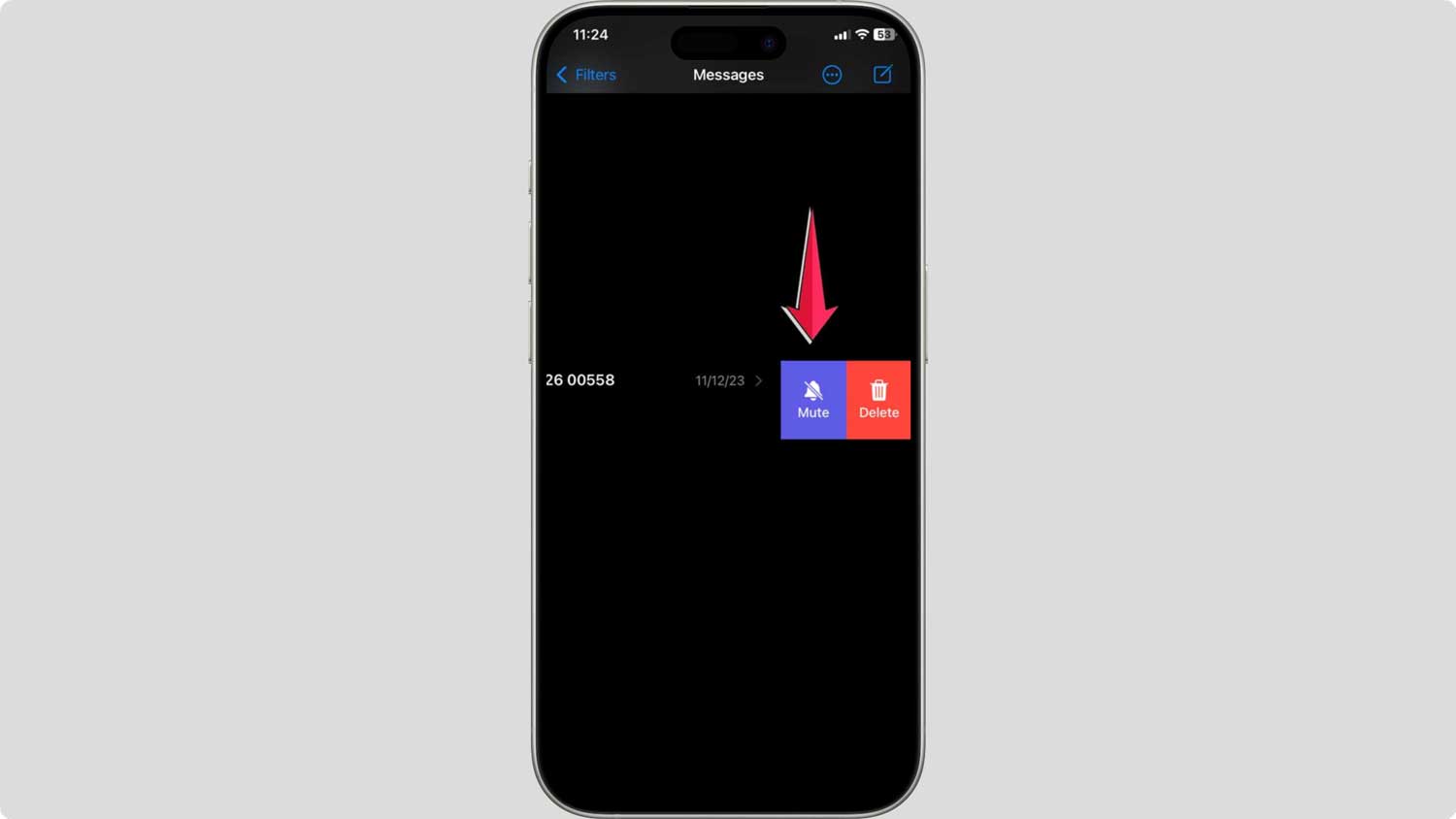
Now you’re in control! When you mute a conversation, you won’t get notifications. You won’t get them until you decide to turn them back on. Simple as that!
Conclusion
Managing your iPhone’s notifications doesn’t have to be a headache.
You may want to silence one pesky chatterer or a whole group. The tools are designed to give you peace without missing important things. They provide a sense of security.
You can use Do Not Disturb for individual contacts. You can also mute entire message threads. You can customize your notifications however you want.
So go ahead, set your preferences, and enjoy your newfound tranquility!
Remember, controlling your notifications means controlling your digital life. Embrace these features and make your iPhone work for you!