Have you just realized your iPhone is missing? Don’t panic! It’s a stressful situation, but there are ways to find your device, even if you don’t have the “Find My” feature set up.
Losing your iPhone can feel like losing a piece of yourself. It’s not just a phone. It’s your connection to friends, family, work, and a whole lot of important information.
Whether you’ve misplaced it at home or left it somewhere while out and about, the worry is real.
You might think that without “Find My” enabled, you’re out of luck. But that’s not true. There are several methods you can try to track down your iPhone, from using iCloud to some clever search techniques.
In this guide, we’ll walk you through practical steps to help you find your lost iPhone. We’ll cover easy-to-use tools and tricks that don’t require tech expertise.
Our goal is to help you reunite with your device as quickly as possible. Let’s get started on finding your iPhone!
Why can’t you use “Find My” to locate your iPhone?
Before we dive into alternative methods, let’s quickly address why you might not be able to use the “Find My” feature. This could be because:
- You may never set it up on your device.
- Your iPhone is turned off or has a dead battery.
- It’s not connected to the internet.
- Someone has disabled the feature.
If any of these situations apply to you, don’t worry. There are still plenty of options to explore.
How can you use iCloud to find your iPhone?
Even if “Find My” isn’t available, your iCloud account can still be a valuable tool in locating your lost iPhone. Here’s what you can do:
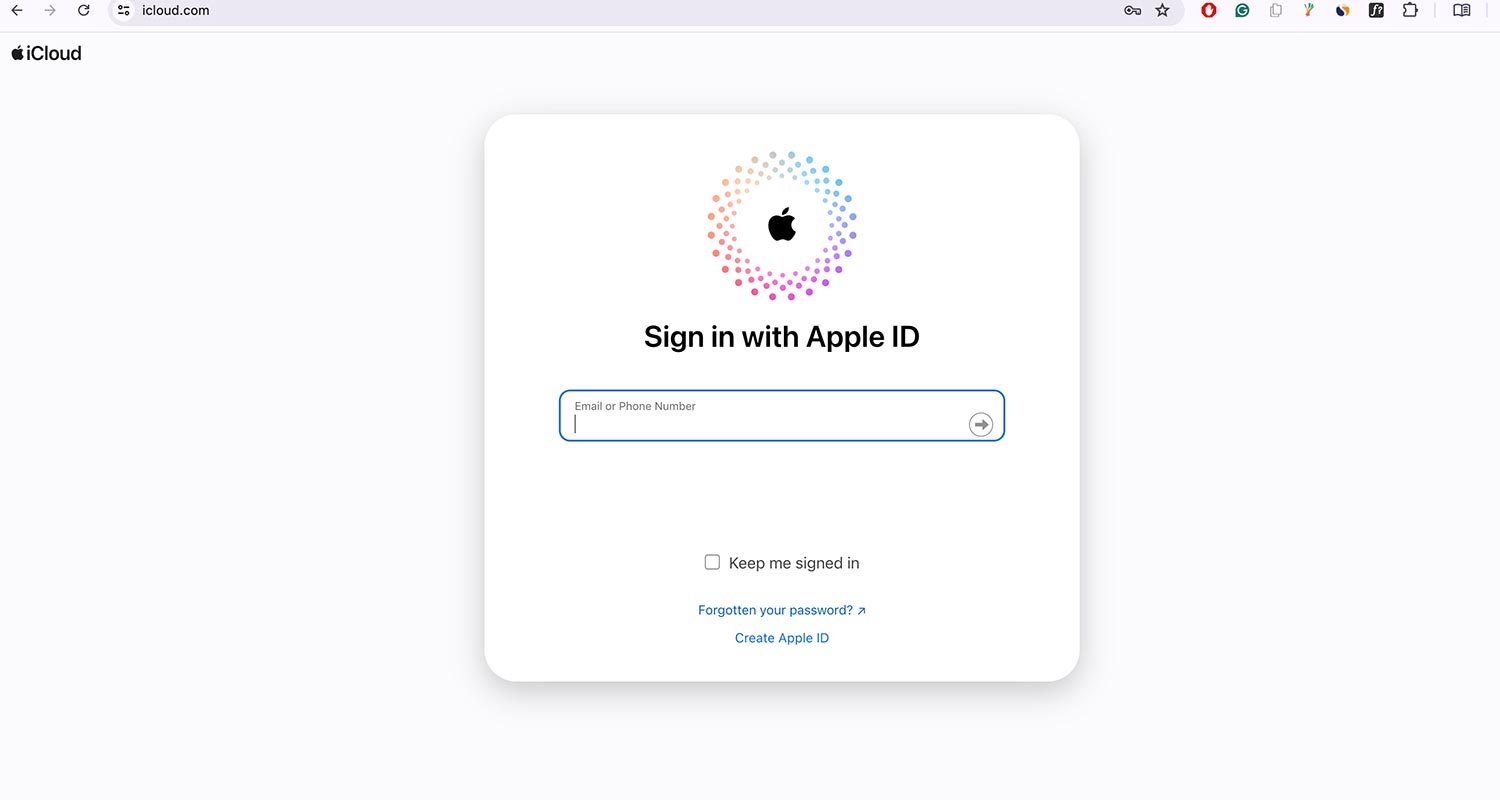
- Go to iCloud.com and sign in with your Apple ID.
- Click on “Find My”.
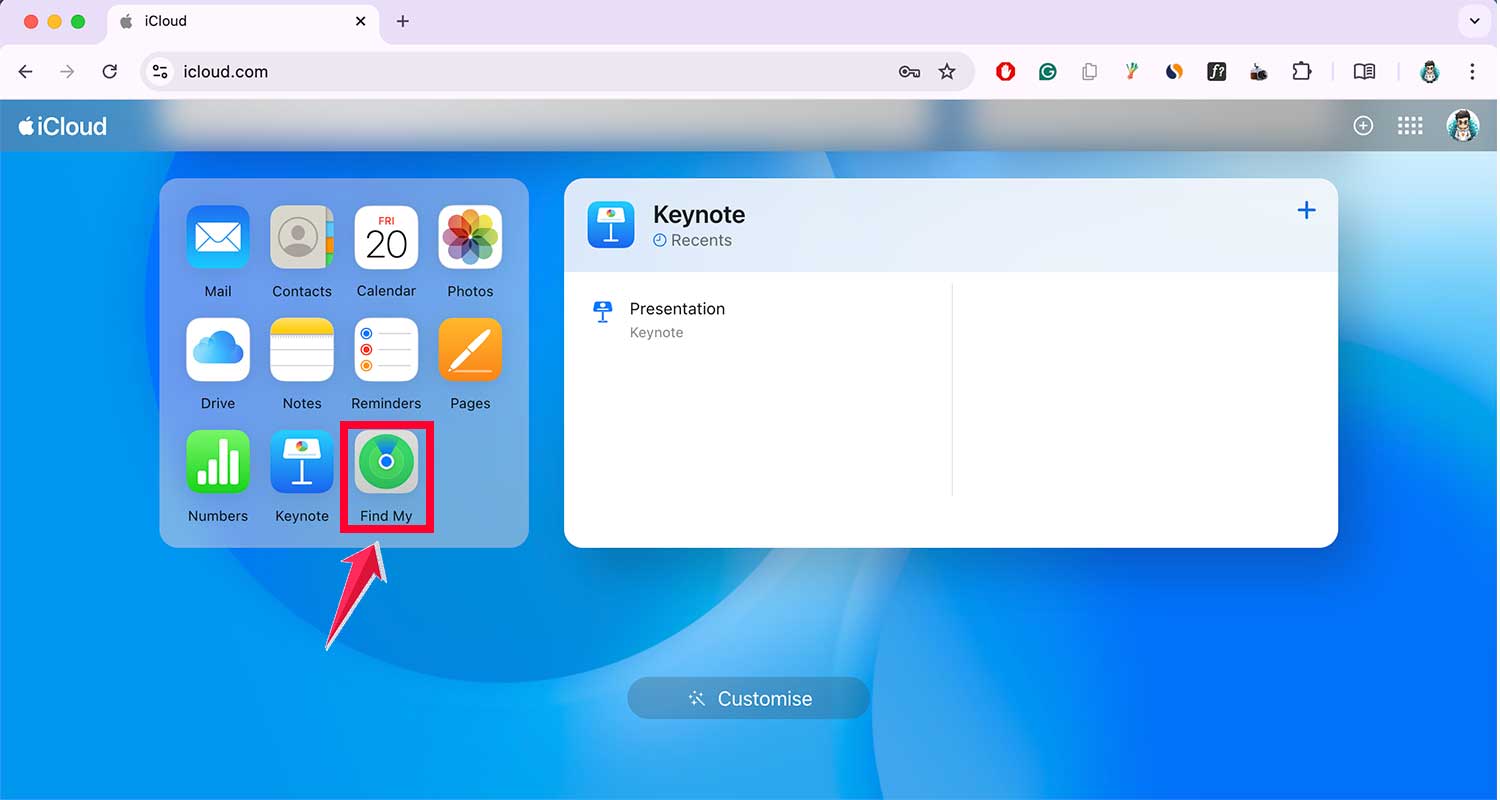
- Select “All Devices” and choose your iPhone from the list.

If your device appears on the map, great! If not, don’t lose hope. There are more methods to try.
Can you track your iPhone using your phone number?
Your phone number can be a lifeline in finding your lost iPhone. Here’s how to use it:
- Call your iPhone from another device.
- If someone answers, politely explain the situation and arrange to get your phone back.
- If it goes to voicemail, leave a message with your contact information.
- Send a text message to your iPhone with your contact details and a request to return the device.
Remember, if you hear your phone ringing nearby, follow the sound to locate it!
How can you use Google Timeline to find your lost iPhone?
If you use Google Maps and have Location History enabled, Google Timeline can help you retrace your steps:
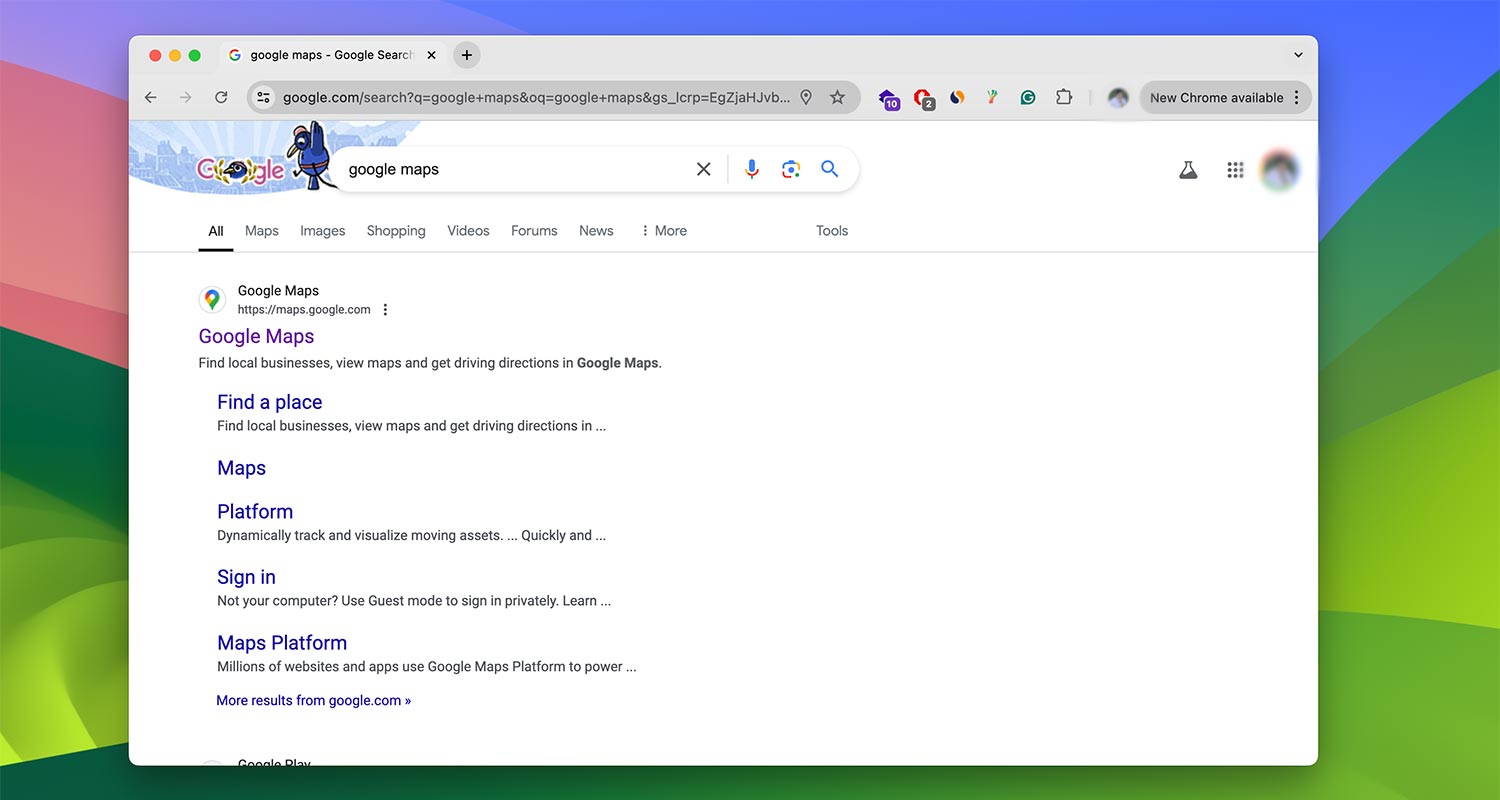
- Go to google.com/maps/timeline.
- Sign in to your Google account.
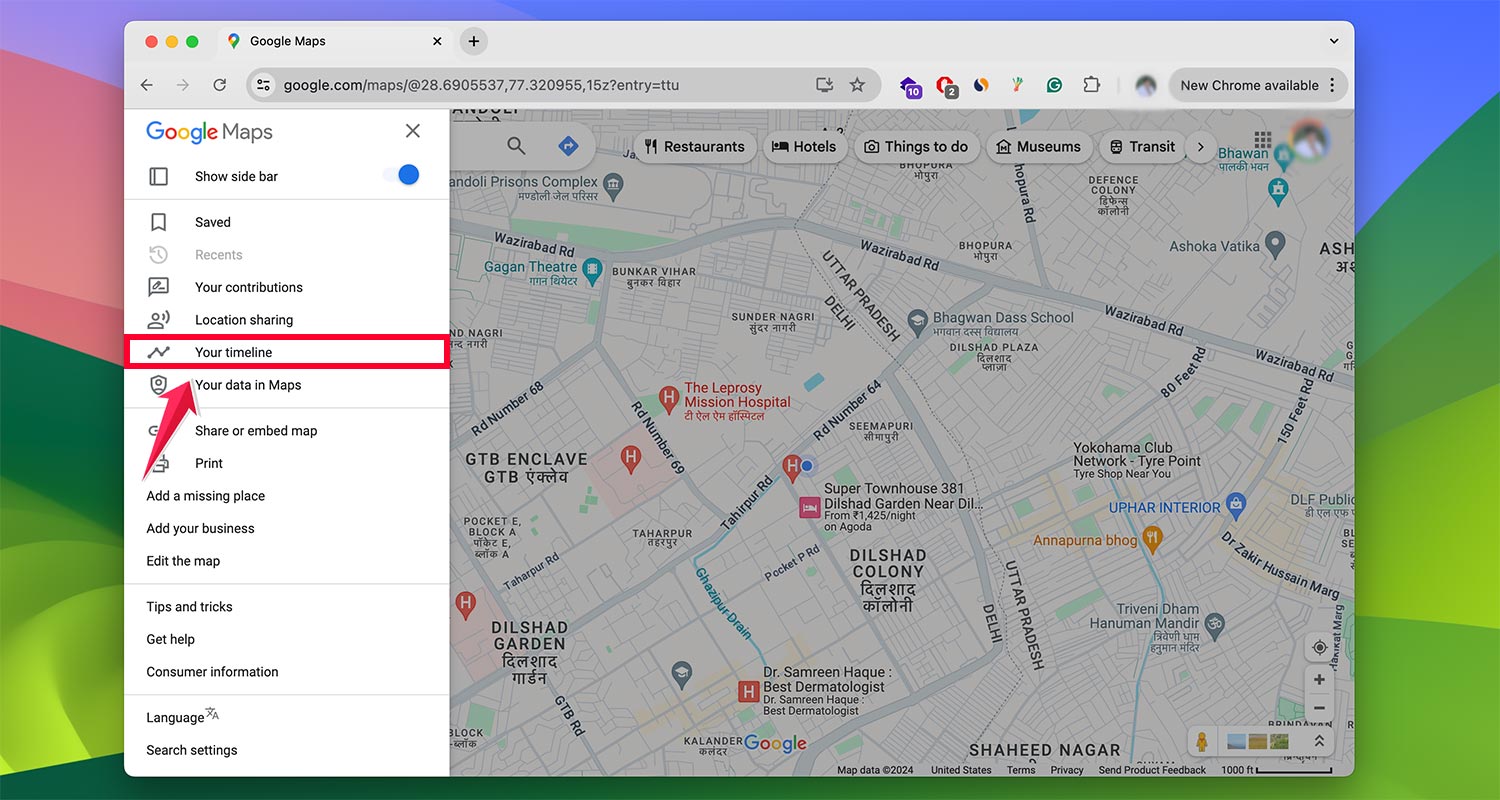
- Click on Your timeline.
- Select the date you lost your iPhone.

- Review your location history to identify where you might have left your device.
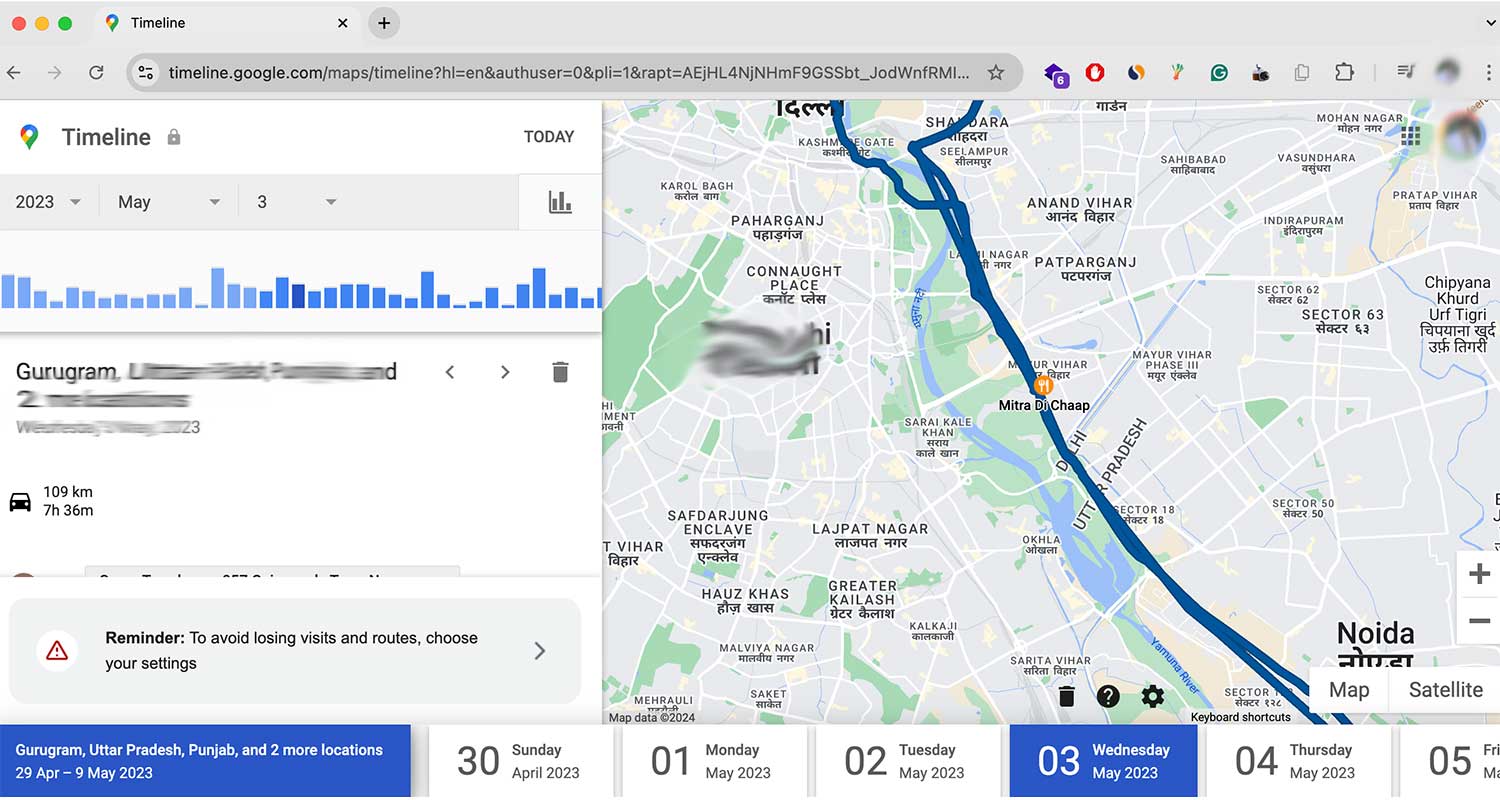
This method can be particularly helpful if you’re not sure where you last had your iPhone.
What if your iPhone is offline?
If your iPhone is offline, you can still take some steps to protect your data and increase the chances of recovery:
- Mark your iPhone as lost through iCloud.com.
- Change your Apple ID password to prevent unauthorized access.
- Contact your cellular provider to suspend service.
- File a police report if you believe your iPhone was stolen.
These actions will help secure your personal information and may assist in recovering your device.
How can you prevent losing your iPhone in the future?
Prevention is always better than cure. Here are some tips to help you avoid losing your iPhone:
- Always enable the “Find My” feature.
- Use a strong passcode or Face ID/Touch ID.
- Keep your software updated.
- Be mindful of where you place your iPhone when you’re out.
- Consider using a phone strap or pop socket for a better grip.
- Regularly back up your data to iCloud or your computer.
By following these practices, you’ll reduce the risk of losing your iPhone and make it easier to recover if you do.
What are some creative ways to locate a lost iPhone at home?
If you’ve misplaced your iPhone somewhere in your house, try these creative methods:
- Use a Bluetooth device. If your iPhone is still on and within Bluetooth range, try connecting a Bluetooth device like headphones or a speaker. The connection sound might help you locate it.
- Check your recent photos. If you’ve taken any pictures recently, they might give you a clue about where you last had your phone.
- Use a flashlight in dark areas. Your iPhone’s screen or case might reflect light, making it easier to spot in dark corners or under furniture.
- Listen for vibrations. If your iPhone is in silent mode, call it repeatedly and listen for vibrations.
- Check unusual places. Look in pockets of clothes you’ve worn recently, between couch cushions, or in bags you’ve used lately.
How can you use your computer to find your iPhone?
Your computer can be a powerful tool in locating your lost iPhone:
- If you use a Mac, open the “Find My” app and sign in with your Apple ID.
- On a Windows PC, go to iCloud.com and use the “Find iPhone” feature.
- Check your email for any location information sent from your iPhone.
- Review your Google account activity if you use Google services on your iPhone.
Remember, these methods work best if your iPhone is turned on and connected to the internet.
What should you do if all else fails?
If you’ve tried everything and still can’t find your iPhone, here are your next steps:
- Contact Apple Support for additional assistance.
- Check with local lost and found services.
- Post about your lost iPhone on local community forums or social media.
- Consider using IMEI tracking services (though be cautious of potential scams).
- If necessary, accept the loss and take steps to protect your data and accounts.
Remember, while losing an iPhone can be stressful, your personal safety and data security should always be your top priorities.
The takeaway
Losing your iPhone can feel like a disaster, but it doesn’t have to be. Even without the “Find My” feature, you have multiple options to locate your device.
From using iCloud to calling your phone and even checking Google Timeline, there are several methods you can try.
Remember, prevention is key. Enable the “Find My” feature, use a strong passcode, and regularly back up your data.
These simple steps can save you a lot of stress in the future. If you do lose your iPhone, don’t assume it’s gone for good. Many lost phones are eventually recovered.
The most important thing is to act quickly and stay calm. Your iPhone is valuable, but your personal safety and data security are even more important.
Use the tools and techniques we’ve discussed, and you’ll increase your chances of being reunited with your device.
Don’t let the fear of losing your iPhone hold you back. With the right precautions and knowledge, you can handle this situation confidently.
We’d love to hear about your experiences. Have you ever lost your iPhone? How did you find it? Share your story in the comments below.