You’re using your iPhone, and out of nowhere, you see the word “Cupertino.” Maybe it’s in your Weather app, your time zone settings, or even when you’re opening Maps for the first time.
And you think… what is Cupertino? And why is it showing up on my phone when I’ve never been there?
The answer is actually pretty simple, but also pretty interesting. And once you know it, you’ll start seeing Cupertino in a whole new way.
Why does Cupertino appear on your iPhone
Apple didn’t pick Cupertino at random. It’s not a hidden code or a strange glitch. Cupertino appears on your iPhone because it’s Apple’s hometown.
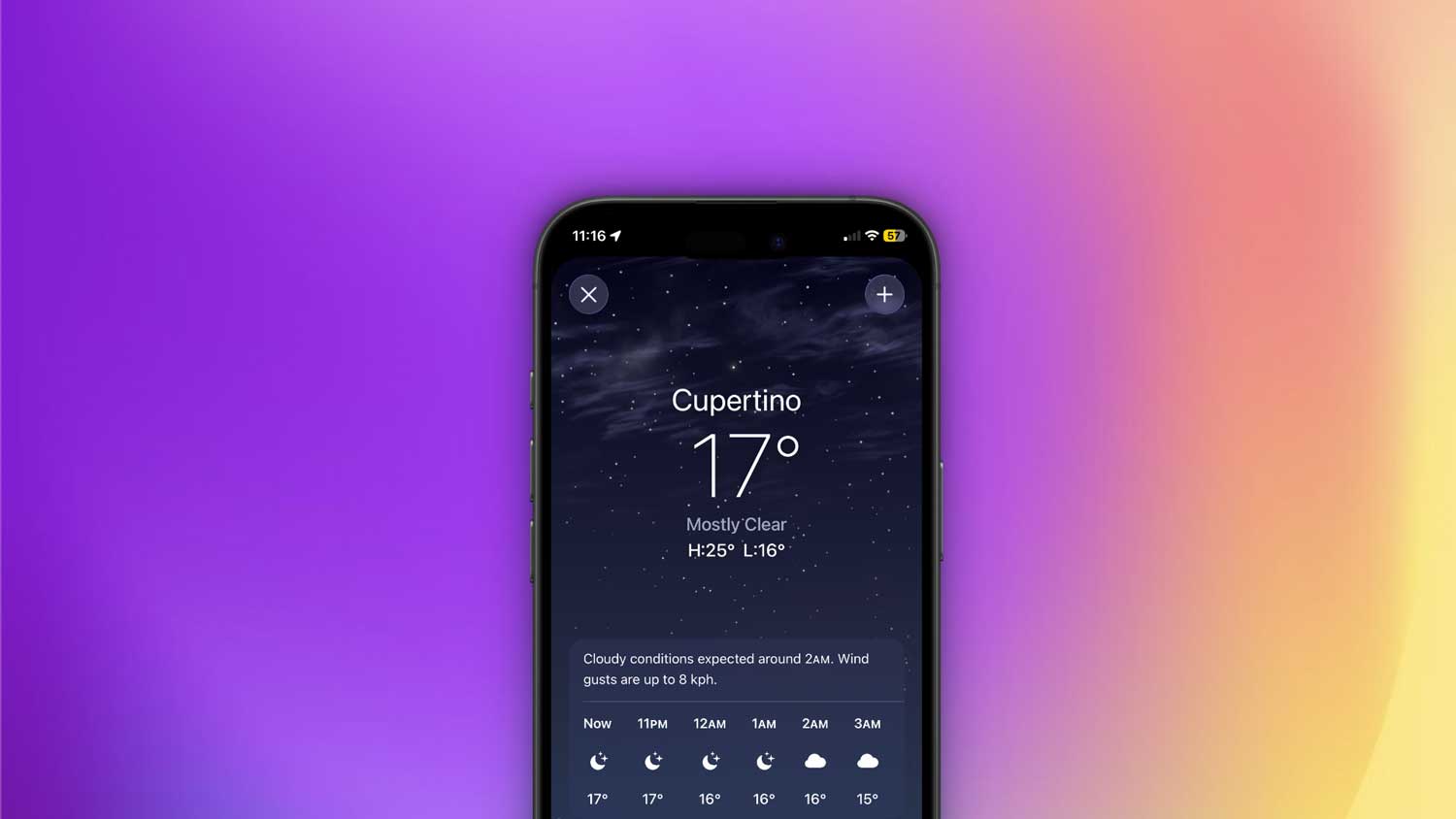
If you’ve ever opened the Weather app for the first time, you’ve probably seen Cupertino listed before you add your own city. That’s because Apple sets its own headquarters as the default location.
The same thing happens with time zones. When you first set up your iPhone or check your clock settings, Cupertino shows up for Pacific Standard Time. It’s Apple’s way of saying, “This is our home base.”
Even in Apple Maps, when you start fresh without a set location, Cupertino can appear as the reference point. It’s like the iPhone uses its “home address” until you tell it where you are.
So, in short. Cupertino shows up because it’s where Apple lives. And since they made your iPhone, they sprinkled a little piece of home into its default settings.
Where Cupertino actually is
Now you might be wondering. Where exactly is Cupertino? Is it far away? Is it famous for something other than Apple?
Cupertino is a city in Santa Clara County, California, right in the heart of Silicon Valley. If you’ve ever heard of Silicon Valley, you know it’s the place where many of the world’s biggest tech companies were born.
It’s not a huge city compared to some California giants like San Francisco or Los Angeles, but it’s famous because Apple Inc. has its headquarters there.
Apple’s main campus is called Apple Park, and it’s hard to miss. It’s a massive, futuristic, ring-shaped building that people often call “the spaceship” because of how it looks from above.
This is where much of the design, planning, and innovation for iPhones, Macs, iPads, and other Apple products happens. When you see Cupertino on your iPhone, you’re seeing the city where your device’s journey started.
Why Apple stayed in Cupertino
Apple has been tied to Cupertino for decades. Steve Jobs and Steve Wozniak, the co-founders of Apple, started the company in the 1970s, not too far from here.
Over the years, Apple could have moved to a bigger city or even a different state, but it stayed. Why?
One reason is that Silicon Valley already had the perfect mix of tech talent, suppliers, and a culture of innovation. Another reason is probably more personal. Cupertino became part of Apple’s identity.
Even the weather is part of the charm. Steve Jobs once joked that the weather in Cupertino was “always perfect.”
By keeping their headquarters here, Apple made sure Cupertino would always be linked to their products. And that’s why you see it show up in your iPhone today.
How Cupertino pops up in your iPhone settings
There are a few main ways you’ll notice Cupertino on your iPhone:
- Weather app defaults. When you first open it, before adding your city, it shows Cupertino’s weather.
- Time zone. If your phone is set to Pacific Time but hasn’t adjusted to your location yet, it might display Cupertino.
- Apple Maps. If location services are off or the app needs a starting point, it uses Cupertino as the map center.
These aren’t mistakes. They’re just placeholders until your iPhone has your real location.
Can you change it?
Yes. And most of the time, you don’t even need to.
Once you turn on location services, your iPhone will automatically replace Cupertino with your current location in the Weather app and Maps.
If you want to manually change the weather location, just open the Weather app, tap the menu icon, and add your city. You can then delete Cupertino if you prefer.
For the clock, go into Settings > General > Date & Time and set your correct time zone. Once that’s done, you won’t see Cupertino there anymore.
Why Cupertino isn’t a privacy risk
Some people worry that Cupertino showing up means their iPhone is tracking them or sending data to Apple. It’s actually the opposite. Cupertino often appears when your iPhone doesn’t yet know your location.
It’s simply a default placeholder that Apple uses until you give the device permission to find where you are.
So no, seeing Cupertino doesn’t mean your iPhone thinks you’re in California. It just means the phone is using Apple’s home city until it gets more accurate data.
A little piece of Apple’s identity
Seeing Cupertino on your phone is like seeing the signature of the company behind it. It’s a subtle nod to where the design ideas came from, where the software was tested, and where the hardware plans were drawn.
It’s Apple’s way of leaving a small reminder that your iPhone is part of a bigger story. one that starts in a city that’s become an icon of technology.
And in a way, that’s kind of cool. It’s a little glimpse into the roots of your device.
The takeaway
Next time you see “Cupertino” on your iPhone, you’ll know it’s not random and it’s not a bug. It’s a reminder of where your iPhone’s journey began. Apple’s headquarters in Cupertino, California.
It can pop up in your Weather app, your time zone settings, or Maps, but it’s just a placeholder until your phone has your own location.
Apple chose Cupertino because it’s home. It’s where they’ve been for decades, where they built Apple Park, and where they continue to design the products millions of people use every day.
So instead of ignoring it, you can see it as a small hello from Apple’s hometown. a little connection between you and the heart of where your iPhone was brought to life.