Did your iPhone 13 just take an unexpected swim? Don’t panic. You’re not alone. Every day, thousands of smartphones get dunked, splashed, or caught in the rain.
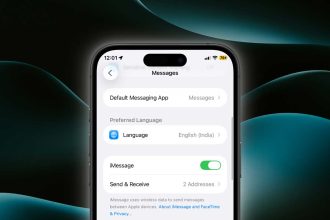
If you’re facing issues, iMessages are not syncing. Do check if your iPhone is not damaged by water, and that’s what we are going to find here.
In fact, about 39% of accidental smartphone damage is due to liquid exposure. But before you start frantically searching for a bag of rice, let’s talk about your iPhone 13’s actual water resistance capabilities.
First things first: breathe. Your iPhone 13 is tougher than you might think. It’s not waterproof, but it is highly water-resistant.
This means it can handle some water exposure, but there are limits. Understanding these limits could be the difference between a close call and a costly repair.
Many iPhone users don’t fully grasp what water resistance means or how it works. This lack of knowledge can lead to mistakes in how you handle your wet phone. It might also cause unnecessary worry when minor splashes occur.
In this article, we’ll walk you through exactly what to do if your iPhone 13 gets wet. We’ll explain its water resistance rating in simple terms, share tips on drying your phone safely, and help you understand when to relax and when to seek help.
Whether you’ve just fished your phone out of the toilet or you’re simply preparing for future mishaps, we’ve got you covered.
What do you mean by water resistance in smartphones?
First, let’s clear up a common misconception. While many people use the terms “waterproof” and “water-resistant” interchangeably, they actually mean different things.
No iPhone is completely waterproof, but many recent models, including the iPhone 13, are water-resistant.
Water resistance means your device can withstand exposure to water to some degree, but it’s not impervious to water damage. The level of water resistance is typically measured using an IP (Ingress Protection) rating.
What is an IP rating?
The IP rating system, developed by the International Electrotechnical Commission (IEC), tells you how well a device can resist dust and water. It consists of two numbers.
Understanding these ratings is as important as knowing how to identify which AirPods you have for proper care and use.
- The first number (0-6) indicates dust resistance.
- The second number (0-9) indicates water resistance.
For example, the iPhone 13’s IP68 rating means:
- 6: It’s highly resistant to dust (the highest level).
- 8: It can withstand water immersion up to a certain depth for a specific time.
Is your iPhone 13 waterproof?
Your iPhone 13 is a tough device, but it’s not completely waterproof. Instead, it’s highly water-resistant. This means it can handle some water exposure, but there are limits you should know about.
All iPhone 13 models, including the mini, Pro, and Pro Max, have an IP68 rating. This rating tells you how well your phone can resist water and dust. Here’s what it means for you:
Your iPhone 13 can handle:
- Splashes and spills.
- Brief accidental water exposure.
- Being underwater up to 6 meters deep (about 20 feet).
- For up to 30 minutes.
This means you can:
- Use your phone in the rain.
- Not worry if you spill a drink on it.
- Quickly retrieve it if it falls in a pool.
But remember, this water resistance isn’t permanent. It can wear off over time, especially if you:
- Drop your phone often.
- Take it apart.
- Expose it to pressurized water (like from a shower).
- Get soap, oils, or other liquids on it.
So, while your iPhone 13 is quite good at handling water, it’s still best to keep it dry when you can. Treat it with care, and it should be able to survive the occasional splash or dunk without problems.
What to do if your iPhone gets wet
If your iPhone 13 does get wet, here’s what you should do:
- Remove it from the water immediately.
- Wipe it dry with a soft, lint-free cloth.
- Gently tap it against your hand with the Lightning connector facing down to remove excess water.
- Let it air dry. Don’t use an external heat source or compressed air.
- Wait at least 5 hours before charging it or connecting any accessories.
Don’t try to charge a wet iPhone. If you see a liquid detection alert, unplug the cable immediately and don’t attempt to charge it until the phone and port are completely dry.
And don’t try to play anything on it as well. Last time, when I tried to set the alarm to work, even during FaceTime calls, I came to realize that I couldn’t do it. Alarmas need speakers to work, and they were damaged. Try to get your iPhone dry first.
Can you take underwater photos with iPhone 13?
While the iPhone 13 can survive brief submersion, it’s not designed for underwater use without additional protection.
The touchscreen won’t work properly underwater, and there’s always a risk of exceeding the phone’s water resistance limits.
If you want to take underwater photos with your iPhone 13, you should use a waterproof case. These cases provide an extra layer of protection and often come with special features for underwater photography.
Some options include:
- Simple waterproof pouches: Good for casual use in shallow water.
- Rugged waterproof cases: Better for more serious underwater photography.
- Professional dive cases: For deep water use, often with additional lens options.
When choosing a case, make sure it’s rated for the depth you plan to use it.
How to keep your iPhone 13 water-resistant
Your iPhone 13 is built to resist water, but you need to take care of it to maintain this feature. Here are some simple steps you can follow:
Be gentle with your phone. Try not to drop your iPhone or bump it against hard surfaces. These impacts can damage the seals that keep water out. Handle your phone carefully to keep it protected.
Don’t take it apart. Leave your iPhone in one piece. If you open it up, you’ll break the water-resistant seals. If your phone needs repairs, take it to an Apple-authorized service provider.
Dry before you charge. If your iPhone gets wet, make sure it’s completely dry before you plug it in. Water and electricity don’t mix well. Wait at least 5 hours after water exposure before charging.
Watch out for other liquids. Your iPhone can handle clean water, but other liquids can be harmful. Avoid exposing it to:
- Pressurized water (like from a shower head).
- Soap.
- Detergents.
- Oils.
- Any non-water liquids.
By following these tips, you’ll help keep your iPhone 13’s water resistance working as it should.
Remember, it’s always better to prevent water exposure than to test your phone’s limits. Treat your iPhone with care, and it’ll be ready to handle accidental splashes when they happen.
The takeaway
Your iPhone 13 is tough when it comes to water, but it’s not invincible. While it can handle rain, spills, and brief dunks, it’s not meant for underwater adventures without extra protection. The key is to understand its limits and treat it with care.
Remember, your iPhone’s water resistance can wear off over time, especially if you drop it often or expose it to chemicals.
To keep it safe, avoid unnecessary water exposure, dry it thoroughly if it gets wet, and never charge it when it’s damp. If you’re planning water activities, consider using a waterproof case for extra protection.
Many people think “water-resistant” means “waterproof,” but that’s not true. Your iPhone 13 can resist water but not repel it completely. It’s designed to survive accidents, not for intentional underwater use.
In the end, your iPhone 13 is more durable than you might think, but it still needs your care. Treat it well, and it’ll keep up with your daily life, rain or shine.
If you’re ever unsure after a water incident, it’s best to get it checked by professionals. Your iPhone is a valuable tool – taking care of it will ensure it stays that way for a long time.
We’d love to hear about your experiences with your iPhone and water. Have you had any close calls? Share your story in the comments below.