Did you know that email is used by over 4 billion people worldwide? That’s more than half the global population! If you’re using Hotmail on your iPhone, you might find yourself needing to reset your password at some point.
Forgetting passwords happens to everyone. With so many accounts to manage these days, it’s no wonder we sometimes draw a blank when trying to log in.
But don’t worry – resetting your Hotmail password on your iPhone is easier than you might think.
In this guide, you’ll learn how to reset your Hotmail password step by step. Whether you’ve forgotten your password or just want to update it for better security, we’ve got you covered.
We’ll walk you through the process using clear, simple instructions. By the end of this article, you’ll be back in your account and feeling more secure about your online presence.
How to update your Hotmail password on iPhone using the Settings app
Want to change your Hotmail password right from your iPhone? Here’s how you can do it using the Settings app:
- Open the Settings app on your iPhone.
- Scroll down and tap on “Passwords & Accounts.”
- Find your Hotmail account in the list and tap on it.
- Tap on the “Account” field to access your email details.
- Look for the “Password” field and tap on it.
- Enter your new password. Make sure it’s strong and unique.
- Tap “Done” to save your new password.
That’s it! You’ve successfully updated your Hotmail password on your iPhone. Pretty simple, right?
How to reset your Hotmail password on iPhone using a web browser
If you prefer using a web browser to change your password, here’s what you need to do:
- Open your preferred web browser on your iPhone.
- Go to outlook.com.
- Log in to your Outlook (Hotmail) account.

- Tap the three vertical lines at the top of the screen.
- Select Mail “Settings.”
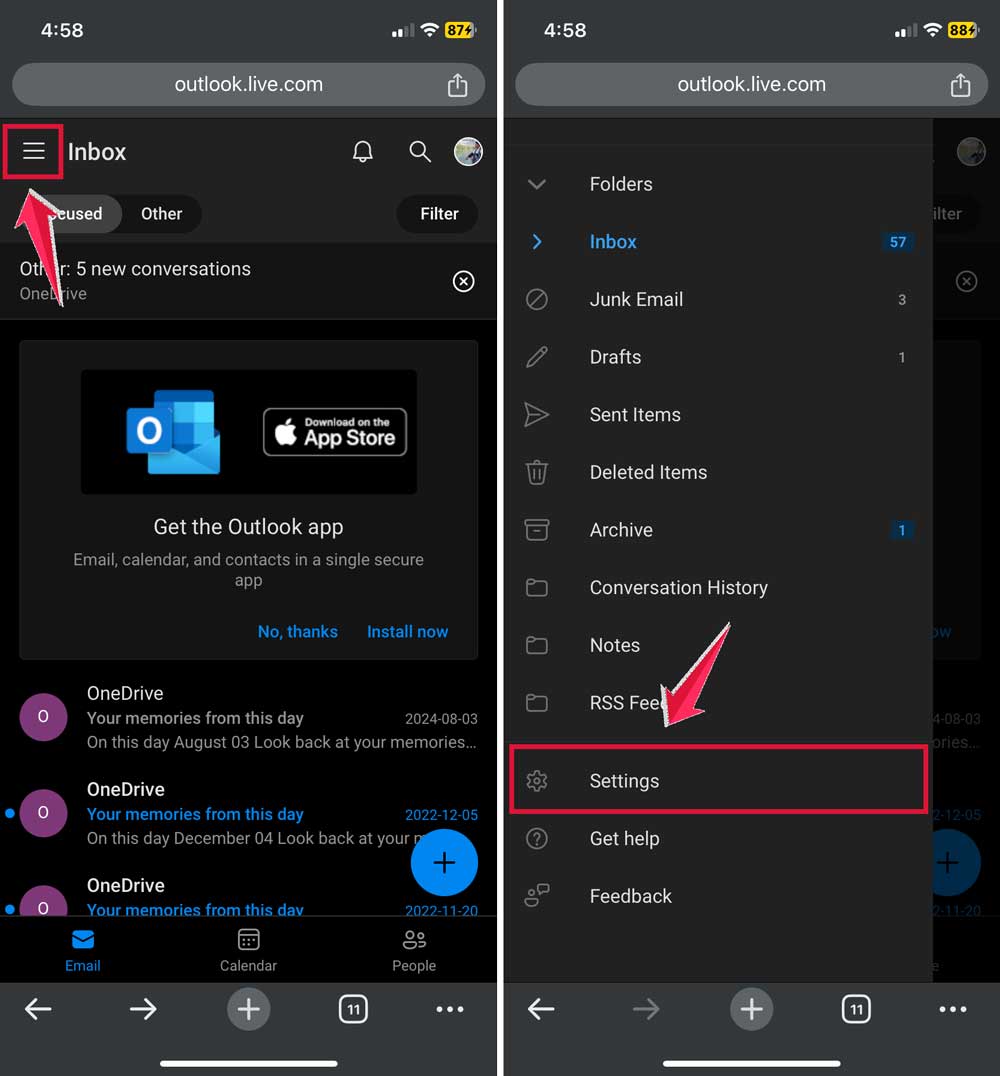
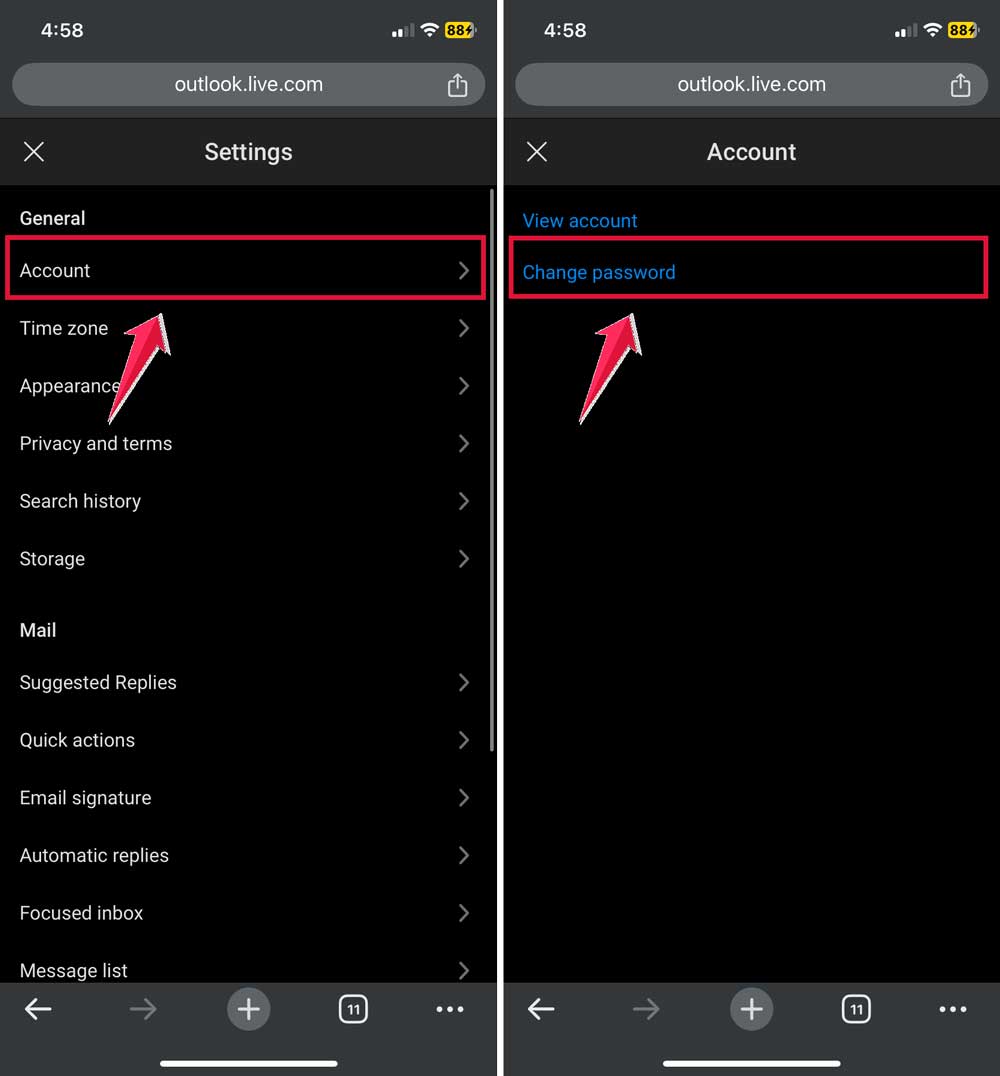
- Scroll down to “Account” details.
- Tap “Change Password.”
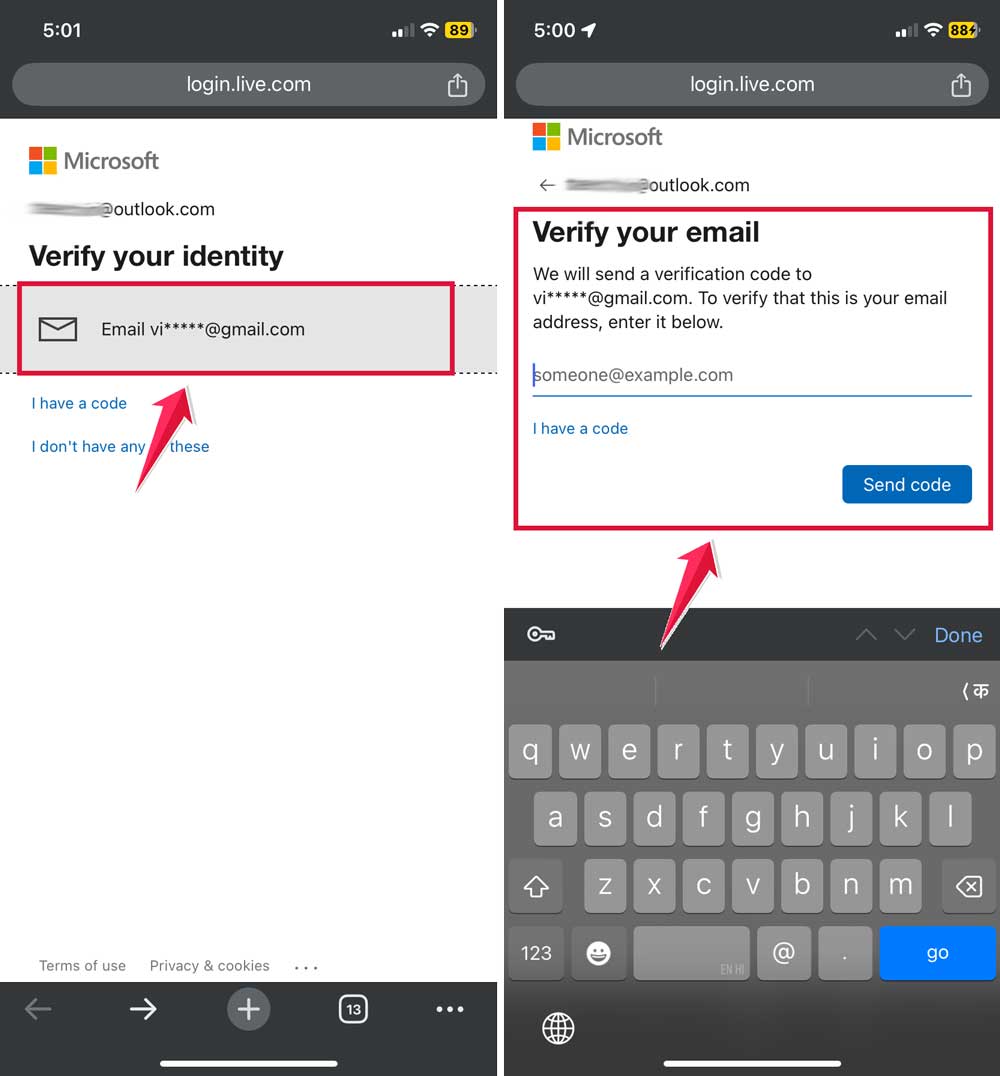
- Enter your new password and confirm it.
- Click “Save” to set your new password.
Wasn’t that easy? Now, you know two ways to reset your Hotmail password right from your iPhone. Which method do you think you’ll use?
Contact Hotmail customer service if you’re having trouble accessing your account
Sometimes, even after trying the steps we’ve discussed, you might still run into issues with your Hotmail account. Don’t worry – that’s what the Hotmail Customer Service Team is for.
The Hotmail Customer Service Team is available 24/7. You can reach out to them anytime you need assistance with your account.
To contact them:
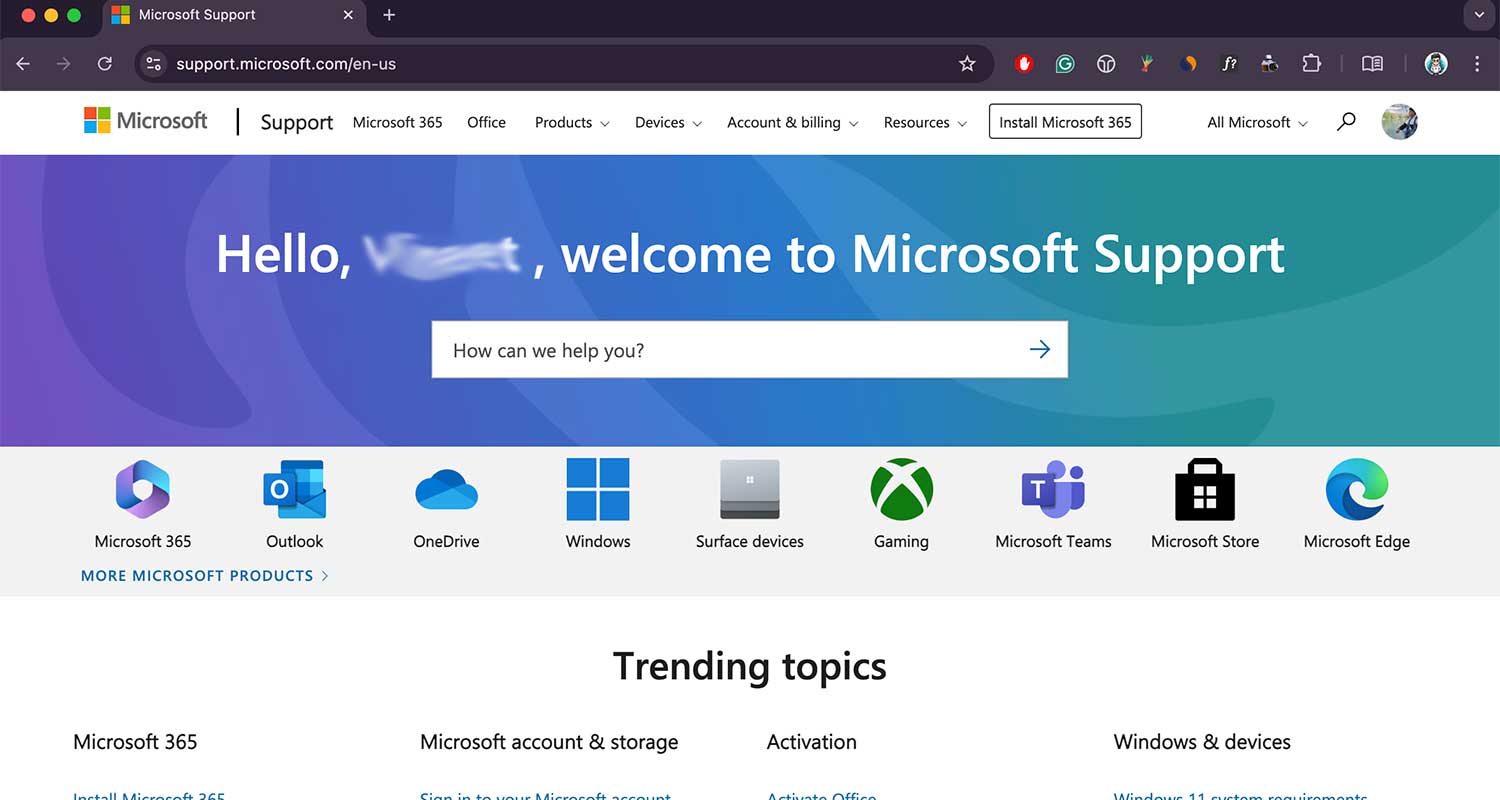
- Go to the Microsoft Support website.
- Look for the “Contact Us” or “Get Help” option.
- Choose “Outlook” or “Email” as your product.
- Select the specific issue you’re facing.
- Follow the prompts to connect with a support agent.
If your issue overlaps with device concerns, you can also contact Apple Support via text for quick help.
Remember, there’s no shame in asking for help when you need it. The Hotmail team is there to assist you, so don’t hesitate to reach out if you’re stuck or confused about anything related to your account.
The takeaway
Resetting your Hotmail password on your iPhone doesn’t have to be a headache. Whether you’ve forgotten your password or just want to update it for security reasons, you now have two simple methods to choose from.
You can use the Settings app on your iPhone for a quick change, or opt for the web browser method if you prefer.
Both ways are straightforward and take just a few minutes. Remember, creating a strong, unique password is key to keeping your account secure.
If you run into any trouble, don’t hesitate to reach out to Hotmail’s customer service team. They’re available 24/7 and ready to help with any account issues you might face.
The most important thing is to keep your email account secure. By regularly updating your password and knowing how to reset it when needed, you’re taking a big step towards protecting your personal information. So go ahead, give it a try, and enjoy the peace of mind that comes with a secure email account.
What do you think about these password-changing methods? Let us know in the comments below!