I know you’re dealing with water in your phone’s camera. That’s stressful, and you’re likely worried about damage. Take a deep breath. We’ll tackle this together.
Water in your phone can be scary, but many people have faced it and resolved the issue. You’re not alone, and there are steps you can take right now.
Time is crucial with water damage, so let’s act quickly. I’ll help you take quick steps to get water out of your front camera. This will also lower the chance of lasting damage.
This situation might feel frustrating, but it’s often fixable. Stay calm, follow the steps we’ll discuss, and you’ll give your phone the best chance for recovery.
Ready to get started? Let’s dive into the solutions.
What to do immediately if you get water in your iPhone camera?
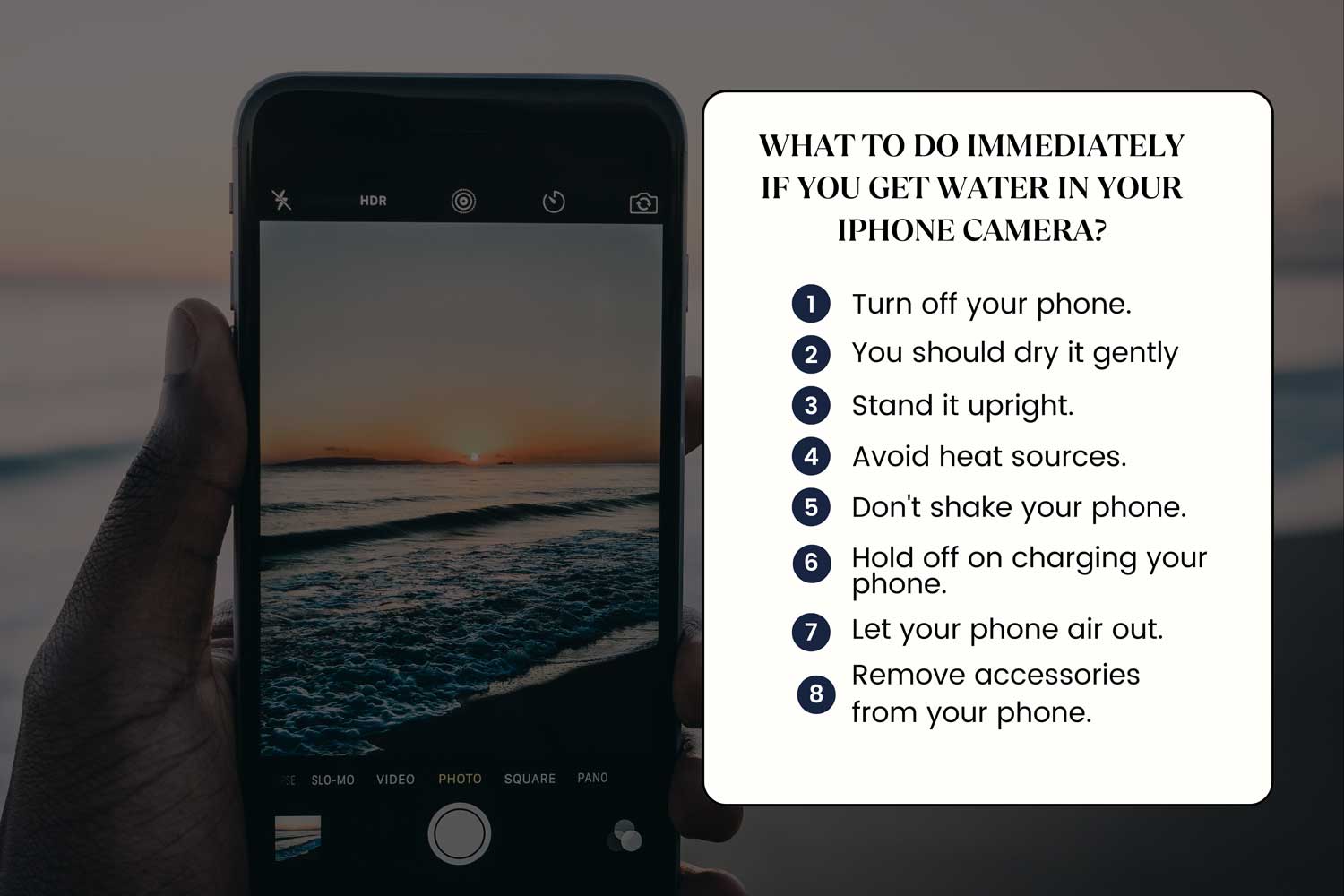
If you’ve just noticed water in your phone’s camera, here’s what you need to do immediately to protect your device:
1. Turn off your phone. This is crucial. Powering down your phone helps prevent potential electrical issues caused by water inside.
2. You should dry it gently. Use a soft, lint-free cloth to carefully pat your phone dry. Don’t rub hard. You don’t want to push water further inside.
3. Stand it upright. Keeping your phone vertical helps prevent water from seeping deeper into the device.
4. Avoid heat sources. Don’t use a hairdryer or other heat tools. They can damage your phone’s internal components.
5. Don’t shake your phone. While it might seem logical, shaking can spread water to dry areas of your phone.
6. Remove accessories from your phone. Take off your phone case and remove the SIM card tray. This allows for better air circulation.
7. Let your phone air out. Place your phone in a dry, well-ventilated area, but avoid direct sunlight.
8. Hold off on charging your phone. Wait until you’re sure your phone is completely dry before plugging it in. Charging a wet phone can be dangerous.
Got it? Now, deep breath! Let’s get that water out and your iPhone camera back in action!
How to tell if your iPhone has water damage
Let’s go through some signs that indicate your iPhone might have water damage:
1. Your camera looks foggy. If your camera view seems cloudy or blurry, and it’s not due to a filter or effect, there’s likely moisture inside.
2. Your screen behaves strangely. When your screen becomes jittery, frozen, or displays unusual patterns, it could be a sign of water damage. You might even start to see black spots or display issues caused by internal moisture.
3. Your audio sounds off. If your music or calls sound distorted, as if they’re coming from inside a can, water might be affecting your speakers.
4. Water spots are easy to clean. These are just droplets on the surface of your camera or screen. You can easily wipe them away with a cloth.
5. Internal moisture requires action. If you still see what looks like a small cloud inside your camera or screen after cleaning, water has likely gotten inside your phone. This is when you need to act. It may even lead to camera blinking issues in some cases.
So, take a close look and listen. Your iPhone gives little signs to let you know if the water’s really been bothering it!
How to get water out of your iPhone camera: 5 methods
Let’s explore five ways to address water in your iPhone camera:
1. You can use rice to absorb moisture from your iPhone camera lens
This method involves using uncooked rice to draw out water:
- Power off your iPhone and remove the SIM card.
- Gently wipe the phone with a soft, lint-free cloth.
- Place your phone in a bag or bowl filled halfway with uncooked rice.
- Let it sit for 1-2 days.
- Remove your phone, check for any rice grains, and power it on.
Be aware that rice can be messy and small particles might get into your phone.
2. Silica gel packets can dry your camera lens effectively
Silica gel packets are even better at absorbing moisture than rice:
- Turn off your iPhone and remove the SIM card.
- Gently wipe the phone.
- Place your phone in a sealed container with 5-10 silica gel packets.
- Wait for 1-2 days.
- Remove your phone and turn it on.
3. You can take your iPhone apart to address water damage
This method is for those comfortable with device disassembly:
- Power off your iPhone.
- Use special tools to carefully open the device.
- Disconnect the battery.
- Identify and gently dry any wet areas.
- Reassemble your iPhone.
Remember, this method may void your warranty and requires technical skill.
4. Airing out your iPhone can help with minor water exposure
For less severe cases:
- Turn off your iPhone.
- Remove the SIM tray.
- Place your phone in a dry, well-ventilated area for 1-2 days.
Avoid direct sunlight when airing out your device.
5. Visiting a repair shop or Apple Store is often the safest option
Professional technicians can:
- Provide an expert assessment of the damage.
- Use specialized equipment for water damage repair.
While this option might be more expensive, it’s often the most reliable solution.
Which iPhone models are water-resistant?
Here’s a table showing the water resistance ratings of some popular iPhone models:
| iPhone Model | Water Resistance Rating |
|---|---|
| iPhone 7 and 7 Plus | IP67 – up to 1m for 30 min |
| iPhone 8 and 8 Plus | IP67 – up to 1m for 30 min |
| iPhone X | IP67 – up to 1m for 30 min |
| iPhone XR | IP67 – up to 1m for 30 min |
| iPhone XS and XS Max | IP68 – up to 2m for 30 min |
| iPhone 11 | IP68 – up to 2m for 30 min |
| iPhone 11 Pro & Pro Max | IP68 – up to 4m for 30 min |
| iPhone SE (2nd gen) | IP67 – up to 1m for 30 min |
| iPhone 12 Mini, 12, 12 Pro & Pro Max | IP68 – up to 6m for 30 min |
| iPhone 13 & 13 Pro/Pro Max/Mini | IP68 – up to 6m for 30 min |
| iPhone 14 & 14 Pro/Pro Max/Plus | IP68 – up to 6m for 30 min |
| iPhone 15 & 15 Pro/Pro Max/Plus | IP68 – up to 6m for 30 min |
Curious about the iPhone 13’s water-resistance prowess? Although it flaunts an IP68 seal, it’s wise to avoid prolonged water adventures.
The iPhone 15 family has the same IP68 protection. They can handle being underwater at depths of 6 meters for 30 minutes, just like the iPhone 14.
The takeaway
Water in your iPhone’s camera can wreak havoc, but it’s not a disaster. We’ve explored creative solutions, from trusty rice to your local repair expert.
The key? Swift and careful action when that telltale moisture appears.
Remember, even though new iPhones are more water-resistant, they’re not damage-proof. It’s far wiser to sidestep potential water issues than to battle them later.
Keeping your device high and dry or using a waterproof case can save you a lot of trouble.
A common myth? That water-resistant phones can brave any storm. Not true! Even these tech-savvy gadgets can suffer if submerged too long or at high pressure.
Ultimately, your iPhone is a precious companion. If you ever feel overwhelmed by water troubles, don’t hesitate to seek expert advice. Better to play it safe than to risk your treasured moments.
So, we’re all ears! What’s your story about water and iPhones? Share it with us in a line below!