
Has your iPhone screen suddenly developed a mysterious black spot? Don’t worry, you’re not alone. Many iPhone users face this issue, and it can be quite startling when it first appears.
Let’s talk about what’s really going on here. That black spot on your screen isn’t just a cosmetic problem. It’s often a sign that something’s not quite right with your iPhone’s display.
It could be damage to the LCD (that’s the part of your screen that shows all the images and text) or to the touchscreen itself.
Here’s the good news: depending on the size and cause of the black spot, you might be able to fix it yourself. In this article, we’ll walk you through some simple steps you can try at home.
We’ll also talk about when it’s time to seek professional help. So, let’s get started on bringing your iPhone screen back to its spotless glory!
What causes a black spot on your iPhone screen?
Have you noticed a mysterious black spot on your iPhone screen? Let’s talk about why this happens. There are two main culprits:
1. Pixel problems
Your iPhone screen is made up of millions of tiny dots called pixels. Sometimes, these pixels can misbehave:
- Dead pixels: These pixels have stopped working completely. They show up as tiny black dots on your screen. Dead pixels can be caused by manufacturing defects, physical damage, or even battery issues.
- Stuck pixels: These pixels are still working, but they’re “frozen” on one color. You might see them as black, red, green, or blue spots on your screen.
2. Damage to the LCD screen
If your iPhone has had a rough time. Maybe it fell or got wet. The LCD screen might be damaged. The LCD is the part that lights up and shows you everything on your screen. When it’s hurt, you might see black spots because:
- Something might be blocking the backlight (the light behind the screen).
- The screen itself might have internal damage.
Things to avoid when fixing a black spot on your iPhone
Before we dive into solutions, let’s talk about what not to do when you see a black spot on your iPhone screen. Avoiding these actions can prevent further damage:
1. Don’t press on the screen. It might be tempting to poke or press on the black spot, but resist that urge. Applying pressure can make more pixels stop working, potentially making the black spot even bigger.
2. Keep your iPhone out of direct sunlight. Leaving your phone in the sun isn’t a good idea. The heat can build up and cause permanent damage to your device, possibly making the black spot worse.
3. Avoid using sharp objects. Never use anything sharp to try to get rid of the black spot. This will likely scratch your screen and cause more harm than good.
4. Skip the rice treatment. You might have heard about putting wet phones in rice, but for black spots, it’s not going to help. So don’t bother with the rice trick in this case.
5. Don’t apply creams or liquids. Putting any kind of cream or liquid on your iPhone screen can lead to more problems, especially if it seeps inside the device.
Remember, your iPhone is a sophisticated piece of technology. Treating it gently and avoiding these risky actions can help prevent further damage while you work on fixing the black spot issue.
How to fix a black spot on your iPhone screen
Dealing with a black spot on your iPhone screen can be tricky. While some issues need professional help, there are a few safe things you can try at home.
1. Restart your iPhone
Sometimes, simply turning your device off and on again can work wonders. It’s a simple trick, but it’s often effective.
2. Check your screen protector
If you’re using a screen protector, gently peel it off and see if the black spot disappears. Sometimes, the issue is with the protector, not your actual screen.
3. Clean your screen
Use a soft, lint-free cloth (like a microfiber cloth) to gently clean your screen. Sometimes, what looks like a black spot is just a stubborn bit of dirt.
4. Use Siri for help
If your touchscreen isn’t responding where the black spot is, you can ask Siri to help you navigate through your phone settings.
5. When to seek professional help:
If these steps don’t work, it’s time to consider professional repair. Your best option is to visit an Apple store or an authorized service provider. They can:
- Diagnose the exact issue.
- Repair or replace your screen.
- Replace your device if necessary.
If you have AppleCare, this process might be smoother and less expensive. Even without it, the Apple Support team can guide you through your options.
Remember, most black spot issues are related to hardware problems that need special tools and expertise to fix.
Don’t try to open up your iPhone yourself. That could void your warranty and cause more damage.
Before taking your iPhone for repair
Before you hand over your iPhone to fix that black spot, it’s crucial to back up your data. Here’s how to do it using iTunes on your computer:
- Use your lightning cable to connect your iPhone to your computer.
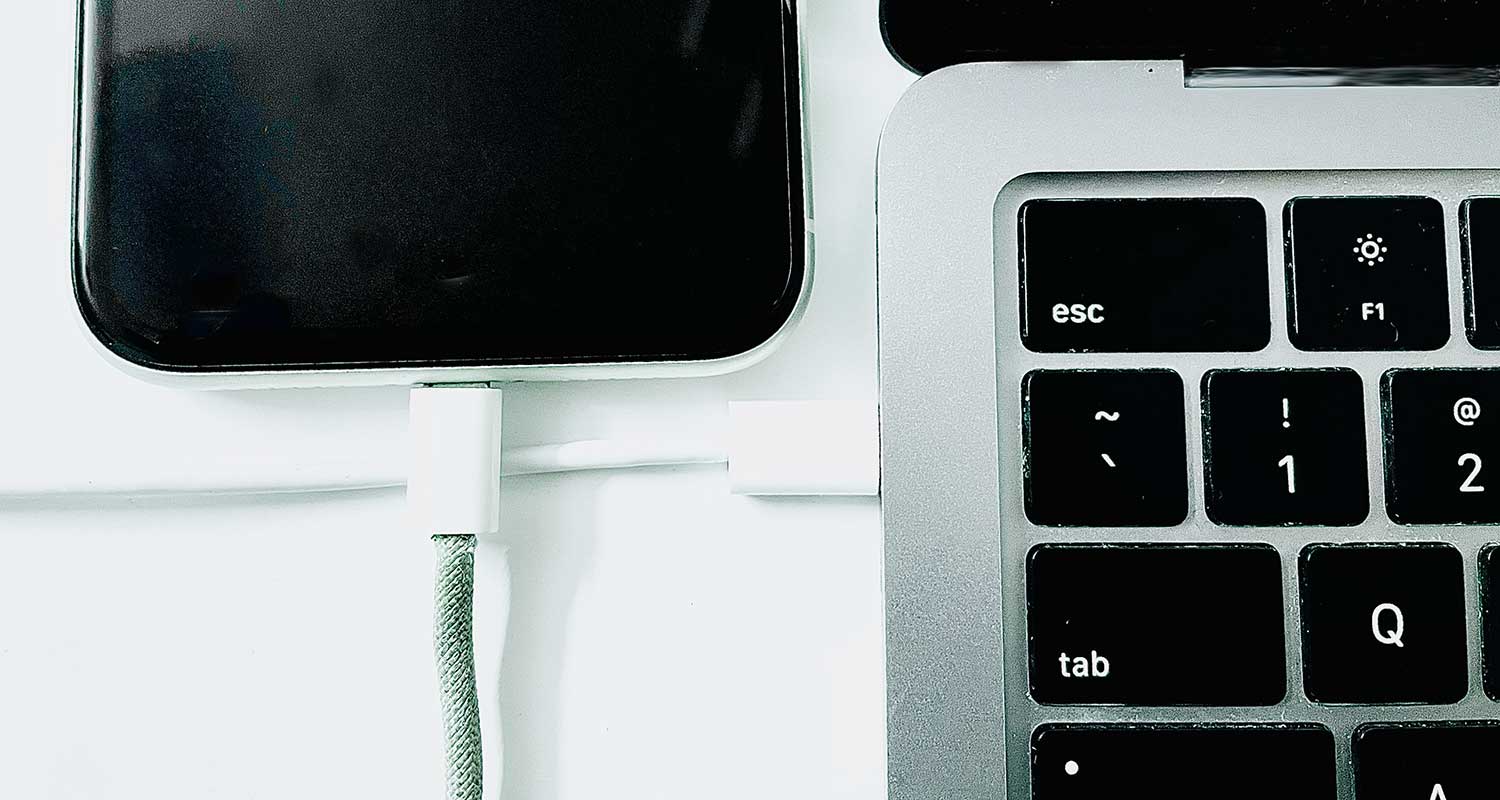
- If prompted, tap “Trust” on your iPhone screen. You can skip this if you’ve connected to this computer before.
- Launch iTunes on your computer and click on “Devices“.
- Navigate to the “Summary” section in iTunes.
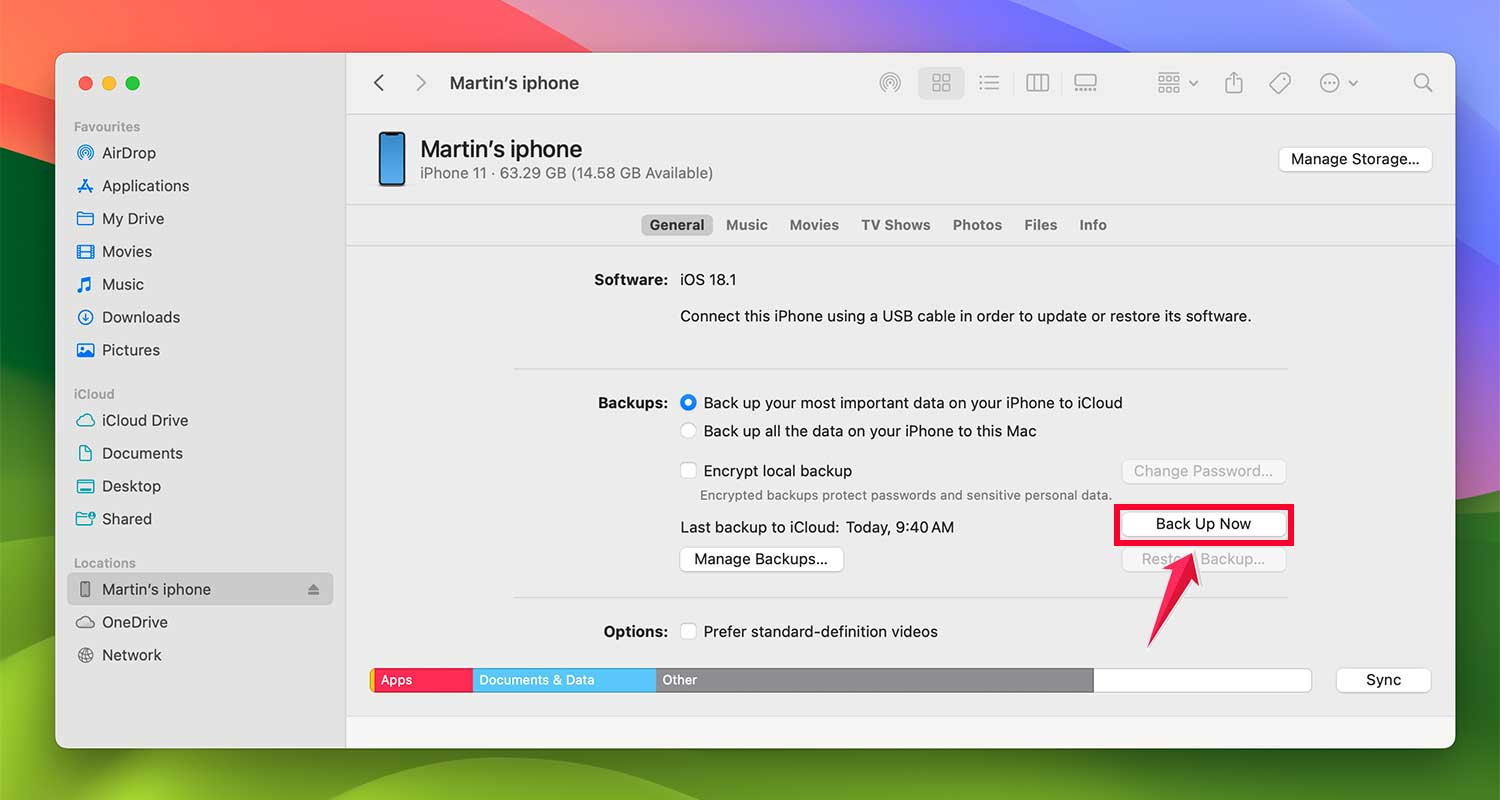
- In the “Backups” section, select “This computer” as your backup destination.
- Click on “Back Up Now” to begin saving your data to the computer.
- Let the backup process finish. Once it’s done, click “Done“.
The takeaway
Dealing with a black spot on your iPhone screen can be frustrating, but don’t panic. This issue is usually hardware-related and requires professional attention.
While it might be tempting to try quick fixes, it’s best to avoid DIY repairs that could potentially cause more damage.
Before you take your iPhone in for repair, the most important step is to back up your data.
This ensures that even if something goes wrong during the repair process, your valuable information is safe. Use iTunes or iCloud to create a complete backup of your device.
Ultimately, the best course of action is to consult with Apple Support or visit an authorized service provider.
They have the expertise and tools to properly diagnose and fix the issue. By taking these precautions and seeking professional help, you’ll be on your way to having a fully functional iPhone screen again.
We’d love to hear about your experiences dealing with iPhone screen issues. Share your story in the comments below!